BETA VERSION · 0.9.2
The Digital
The Digital
Ancestors' Notebook
A local, open-source, free and flexible genealogy app for working on your family history — and also for your inventories and for tracking your animals. Conceived and designed by Victor Baissait, coded by Codex (ChatGPT) & Claude.
Install LCNDA on your computer.
Free, no account and no internet needed: your data stays with you. Choose your system.
macOS
macOS 13 Ventura or later
Which Mac do you have? Apple menu → About This Mac → “Chip” (Apple Silicon) or “Processor” (Intel). Open the .dmg file and drag LCNDA into Applications.
Windows
Windows 10 / 11 (64-bit) — Intel or AMD PCs, and Windows 11 on ARM processors
Run the file and follow the installer. The required Microsoft Visual C++ component is installed automatically if it is missing.
Linux
A recent 64-bit distribution (Ubuntu 22.04, Debian 12, Fedora 38 or later)
ARM processor (Raspberry Pi…)
ARM AppImageAll distributions · 545 MB
ARM .deb packageRaspberry Pi OS, Ubuntu, Debian · 513 MB
Use the .deb on Ubuntu or Debian (sudo apt install ./LCNDA-0.9.2-linux-amd64.deb), otherwise the AppImage: make it executable (right-click → Properties → Allow executing as program), then double-click it.
Source code
For developers: LCNDA is free software (AGPL-3.0 licence)
The complete code of version 0.9.2, including the municipalities of the 226 countries used by search sweeps (hence its size). The worldwide gazetteer of places is not included because it is too large: it builds itself on first launch (or with npm run fetch:geo).
What's new in version 0.9.2The app in 32 languages, guided first launch with a sample database, online archives in one place, evidence and strength of links, new tools, imports and exports, maps and diagrams, games
🌐 The app in 32 languages
Français, English, Español, Deutsch, Italiano, Português, Polski, Nederlands, Čeština, Svenska, Dansk, Slovenčina, Norsk (bokmål), Română, Suomi, Magyar, Hrvatski, Slovenščina, Lietuvių, Latviešu, Eesti, Íslenska, Türkçe, Lëtzebuergesch, Shqip, Malti, Tiếng Việt, Bahasa Indonesia, Русский, Українська, Ελληνικά, Български. The whole app is translated (menus, records, tools, Settings, games, editors), as are the 806 answers in the FAQ. The first time, the app opens in your computer's language (otherwise in English), with two buttons, “Français” / “English”. The translations are made by an AI: a banner says so, with “Report a mistake”. Your data (names, notes, places) is never translated.
🧭 First launch and guided tour
Choose what you'll use the app for (the useful tabs appear), import your file, start from an empty database or from a sample database (an imaginary family over 5 generations, with nobody living). A 6-step guided tour introduces the app.
🔍 Online archives in one place
A single “Search the online archives” window for 132 sites (Mémoire des hommes, Léonore, military registers, newspapers, Archives nationales, Antenati, FreeBMD, FamilySearch, Yad Vashem…), sorted by country and by topic, with “Free only”. The import asks “is this the same person?”, overwrites nothing and can be undone. SocFace censuses, with automatic-reading errors flagged.
⚖️ Evidence and strength of links
Proof file (clues for and against, conflicts, conclusion), strength of every parent–child link (proven, probable, assumed, unsourced, disproved) with a badge on the record, a “Strength view” in the trees and a “Fragile branches” list. Help reading records in 29 languages, and line-by-line reading of handwritten records (guided installation).
🧰 New tools
Where to look?, Brick walls, My research week, Inheritances and estates, Cousins' reunion, Passing on of first names, Your family and French history, A day in the life of…, Occupation tree, Life map, Ready-made letters, automatic backup, and two computers working on a shared folder.
⤒ Imports and exports
Gramps, GeneWeb, GEDCOM-X, Ancestry GEDCOM, MyHeritage, Généatique, FTM, RootsMagic and 11 other programs, Nimègue transcriptions, DNA exports from 5 companies, Google Photos and Apple Photos. Exports for Geneanet, Gramps, GedZip with photos, Obsidian, calendar, contacts and maps (KML, GeoJSON).
📊 Diagrams and maps
12 more diagrams (relationship path, completeness, ahnentafel, Leeds matrix…) and “⚙️ Customise” for all of them. Maps: compare two periods, former municipal boundaries (official INSEE files shipped with the app), surnames, DNA cousins, journeys of the past, 3D relief, large map to print.
🎲 Games, video editing and the rest
Chess, draughts, dominoes, Yahtzee, 8 card games against the computer (belote, tarot, rummy…) and 131 solitaire games. Video editing: volume over time, compressor, reverb, panning, rich text. The app checks for new versions; a 🐞 “Report a bug” button sends a report without any genealogy data. Large databases (up to 100,000 people) stay smooth.
The database updates itself the first time you open it: nothing to do.
What was new in earlier versionsWhat the previous versions brought
Version 0.9.1 The same bar above every list, a single “Print” window and a single “Versions” window, search in Settings, a much richer bunker, more readable colours, lots of fixes
🔍 The same bar above every list
More than forty more lists now have the shared bar: 🔍 Search · Filter ▾ · List | Cards · Sort (family papers, passports, coats of arms, heirlooms and family memory, old occupations, precise places, villages, parishes, old maps, field trips, WWI soldiers, Resistance members, departures, children in care, genealogy fairs, help requests, archive visits, censuses, Treasures, gazettes, My lists…). The old small buttons (“To do / Done”, “All / Domestic / Abroad”…) move into Filter, with the number found next to each choice; active filters show as blue chips you remove with one click. Each list remembers its search, filters, sort order and display; the maps above a list follow the filters. Both calendars have 🔍 and Filter. My lists gains “⤓ Export ▾” (CSV, spreadsheet, Excel), “🖨 Print” and “More ▾” for its other layouts. A sealed letter is never searched.
🖨 One window for printing, one for versions
Every tool prints through the same window: preview on the right, A4 / A5, portrait or landscape, what to print, pages and copies, then “⤓ PDF” or “🖨 Print” (⌘P opens it). A single “🕘 Versions” window in the word processor, the website, photo retouching, sound, video editing and the boards: named or automatic versions, preview, comparison of two versions, “↺ Go back to this version” without losing anything.
⚙️ Easier Settings
A 🔍 box to search within a Settings page (“/” key): only the matching settings remain, with letters highlighted. An icon grid with search as soon as a choice has more than 12 icons. Settings previews now show exactly what you will see afterwards. A ⚠️ warning appears under “Main colour” when it is hard to read on the chosen background, with “Use the theme colour”. No more “Are you sure?” for eight actions that can be undone: the item is removed, and “↶ Undo” puts it back.
☢ A much richer bunker
Achievements and records, historical scenarios with your ancestors, ⏪ go back to the previous morning, dozens more items to craft (carts, bags, transport), expeditions into the region, groups of survivors, buildings to restore, apprentices, relationships between inhabitants, memories of the ancestors (optional). Speeds ×8, ×16 and ×32. After victory, the game goes on endlessly.
📄 New tabs
“📄 Documents” and “🎨 Catalogue raisonné” (hidden at first, to show in Settings). Words on the record agree with the person's gender (as in French “Décédé” for a man, “Décédée” for a woman). The spreadsheet has the bottom bar and the tool column of the other editors.
🎨 More readable colours
Statistics figures readable in light and dark mode, first-name clouds readable in dark mode, blue button text readable in the “Dark” theme, text in trees, the map and games fixed in dark mode. The “Sosa” and “Deceased” badges in the header preview are the same as on the record.
🐞 Bugs fixed
A long review, and a “user who does anything at all” test: a damaged address no longer crashes the app; screens no longer open with an error when the computer is slow; “↶ Undo” no longer gets lost in Settings; an absurd text size coming from an imported file is no longer accepted; damaged settings no longer crash pages; Battleship and Cables find the ancestors' names again; a window left on another family tree no longer shows people from this one; GedZip, Hérédis and MacFamilyTree archives received from elsewhere are checked more thoroughly; double frame around the Settings search and many small display glitches.
The database updates itself the first time you open it (a few indexes and one extra column): nothing to do.
Version 0.9.0 Family treasures, 108 solitaire games and two new games, page backgrounds, reorganised settings, gazette, embroidery, birth sky, soundscape, many fixes
✨ Family treasures
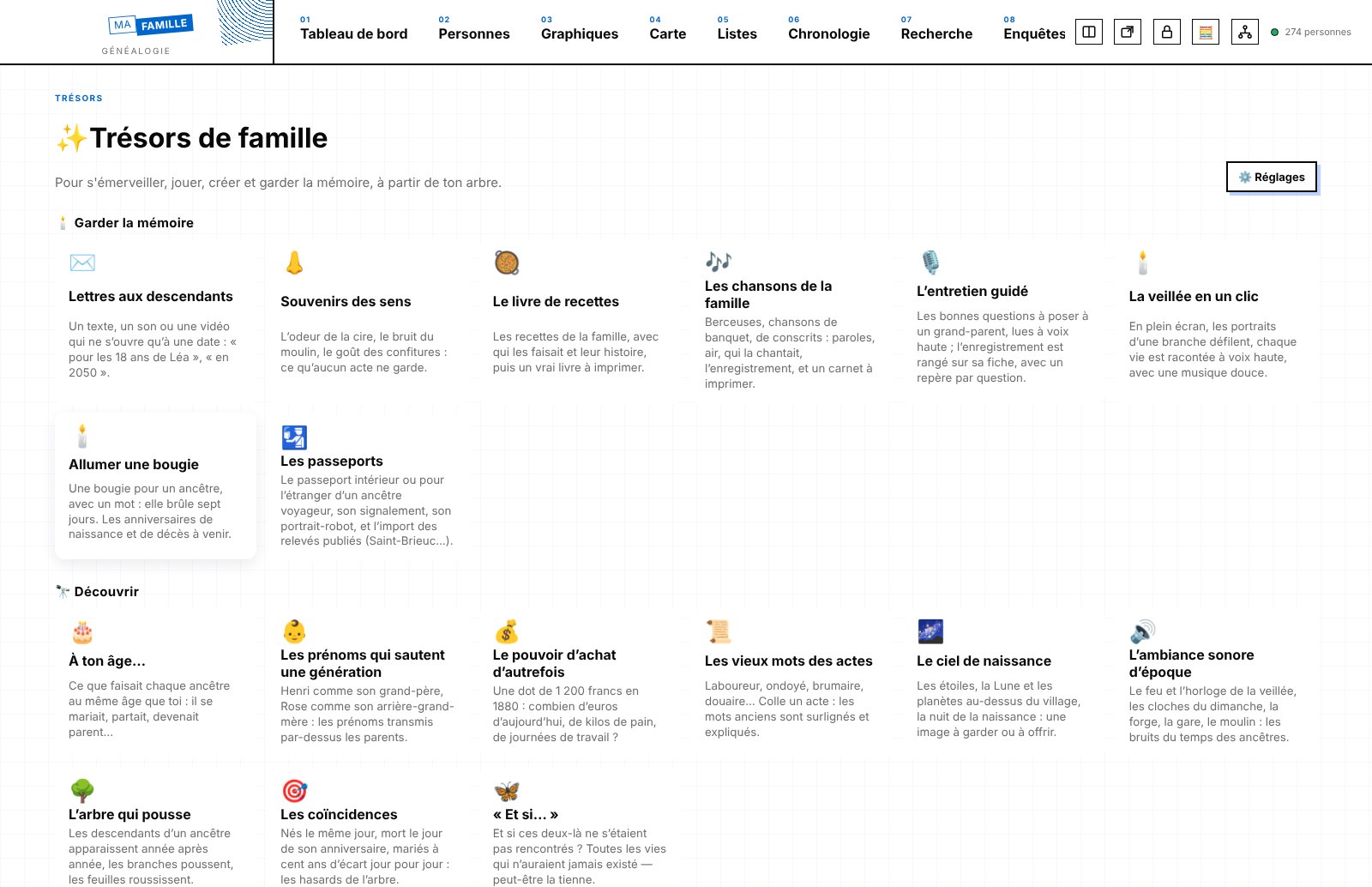
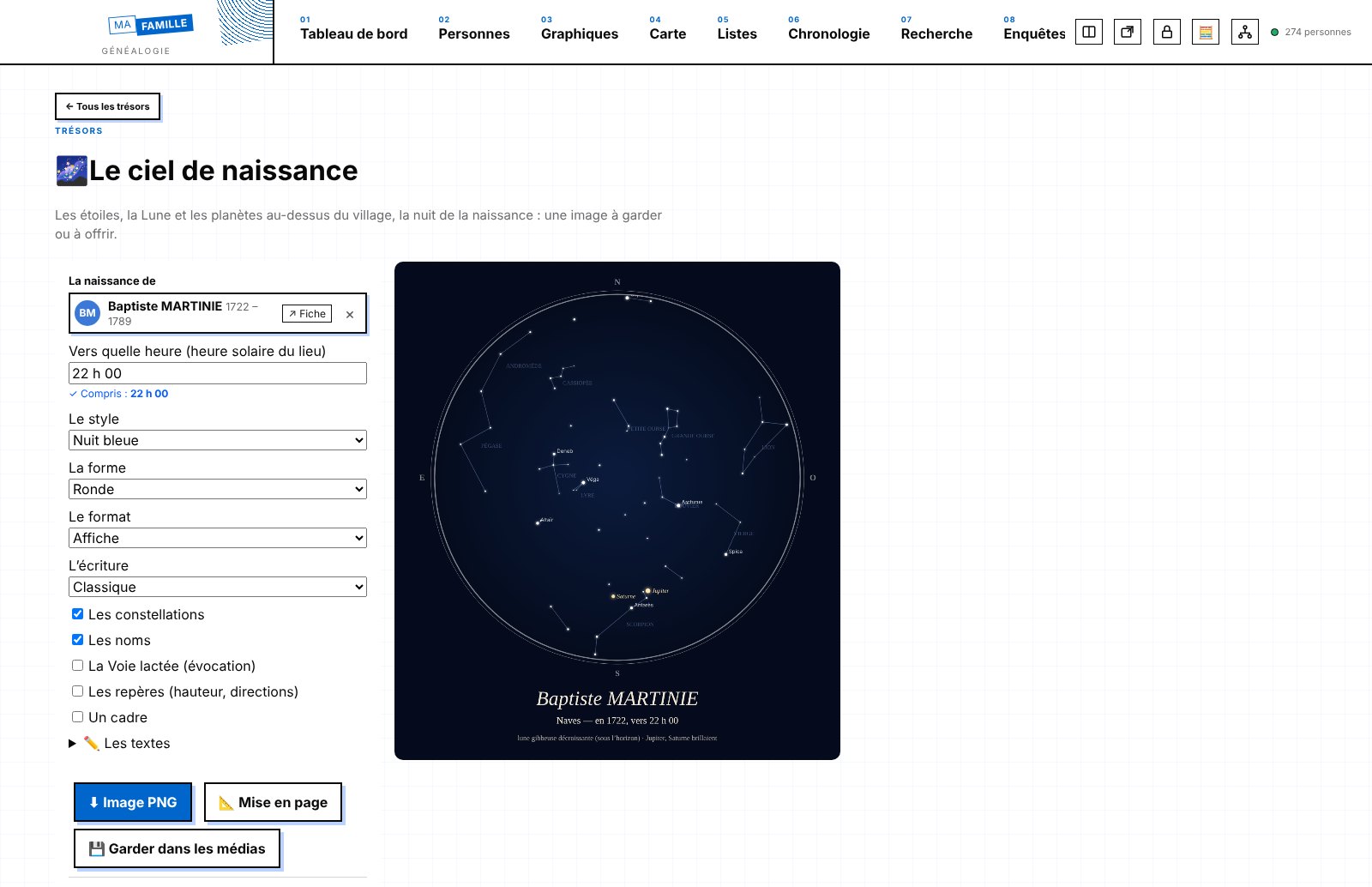
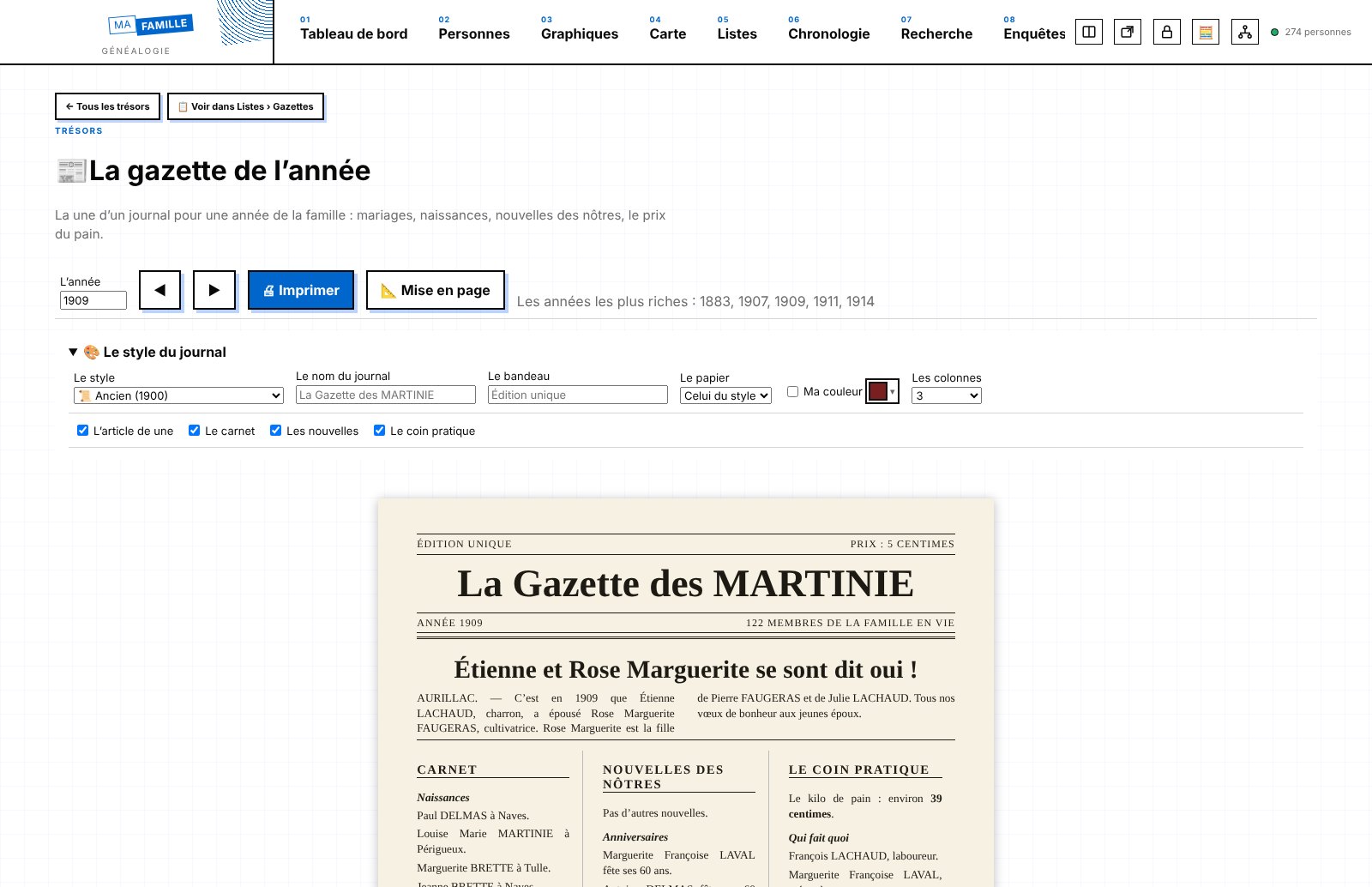
A new tab (hidden at first): 💌 letters to descendants sealed until a given date, 🎂 “At your age…”, 📷 date a photo, 🃏 Happy Families card game (photos and 6 styles), 🖍 colouring tree, memories of the senses, recipes and songs (stored in Family memory), 🌌 birth sky calculated for the place and date, 🕯 candle, 🎧 period soundscape (36 layers, 25 atmospheres, timer), 🗺 treasure hunt, mystery ancestor of the day, choose-your-own-adventure book, coincidences, “What if…”, 🧵 cross-stitch embroidery, laser engraving, portrait mosaic, 📰 gazette of the year (8 styles), wallpaper, 🛂 internal passports, grandparent tells the story, secure temporary sharing. 13 widgets and lists to find them again.
🎲 Games
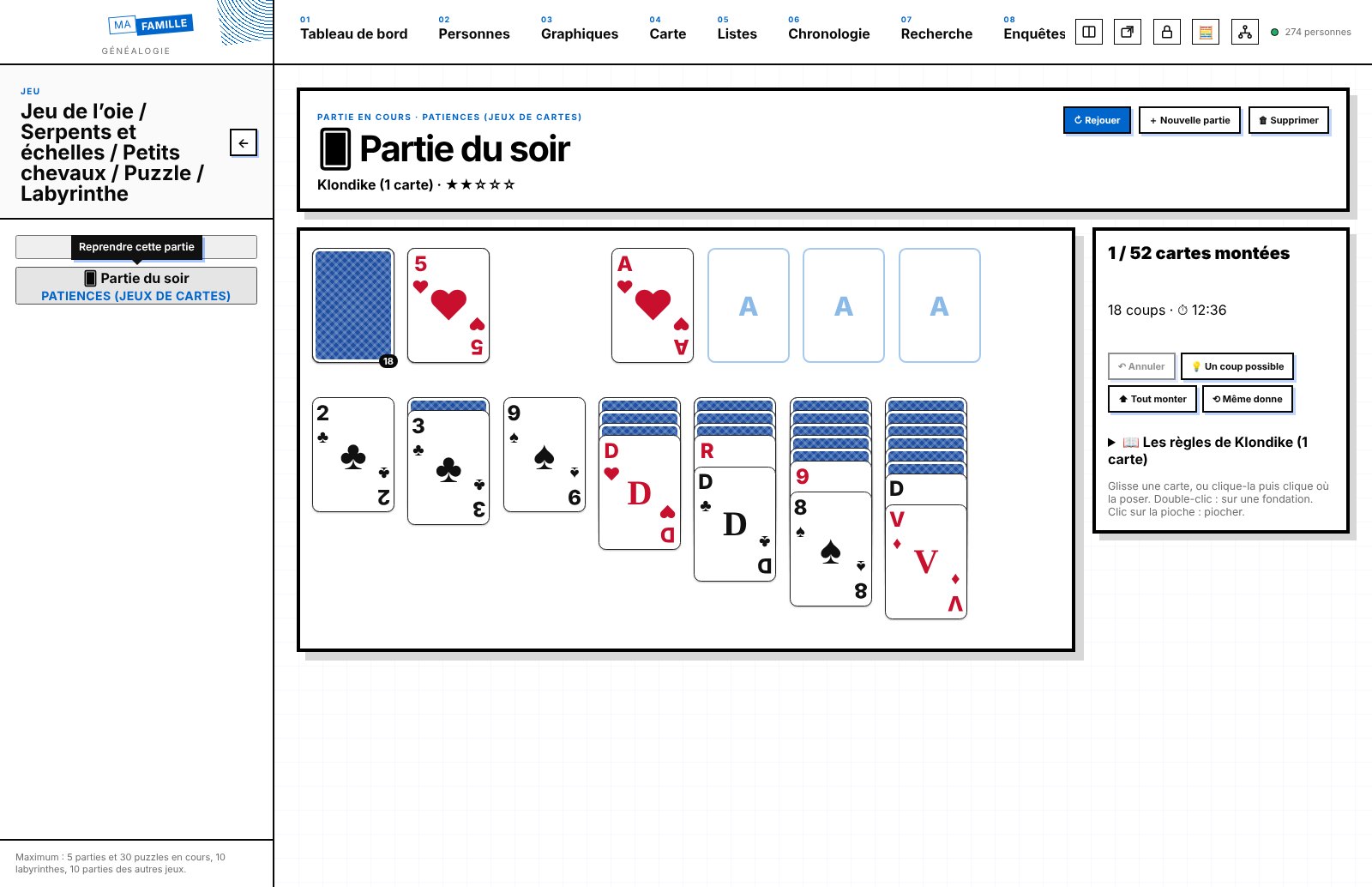
🂠 Solitaire: 108 card games played alone (Klondike, FreeCell, Spider, Yukon, Canfield, Pyramid, Golf, La Belle Lucie, Forty Thieves, Napoleon at St Helena, Trigon, Somerset…), with the mouse or the keyboard, with ↶ undo, 💡 a possible move, timer and record. ⚓ Battleship (against the computer or two players, ships named after ancestors) and 🔌 Cables, Netwalk-style.
🧩 Page backgrounds
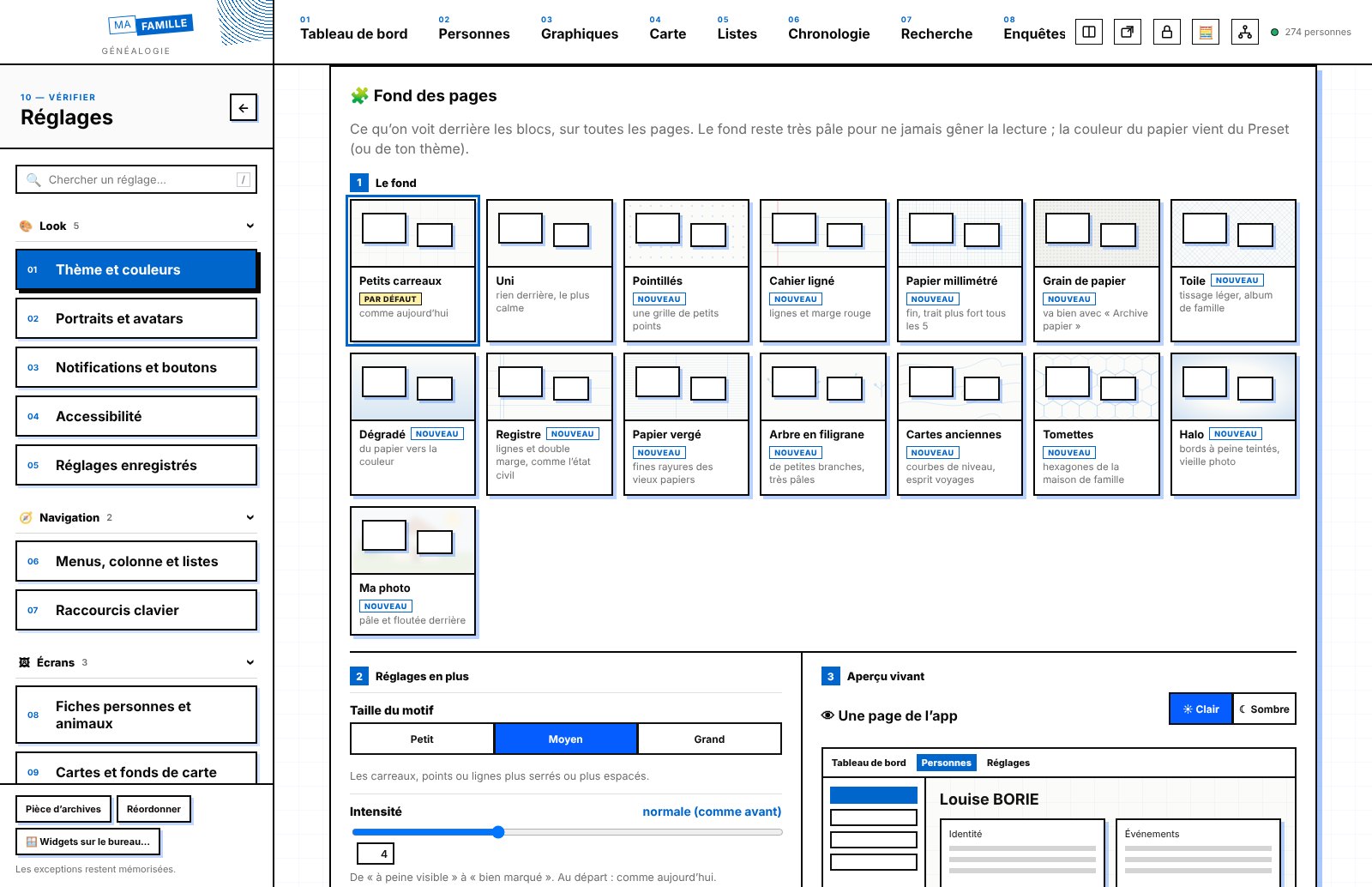
15 backgrounds to choose from behind the blocks (small squares, plain, dots, lined notebook, graph paper, paper grain, canvas, gradient, register, laid paper, watermark tree, old maps, terracotta tiles, halo, your blurred photo), with pattern size, intensity and colour, the pages concerned and a live preview. Never printed.
🎨 Reorganised settings
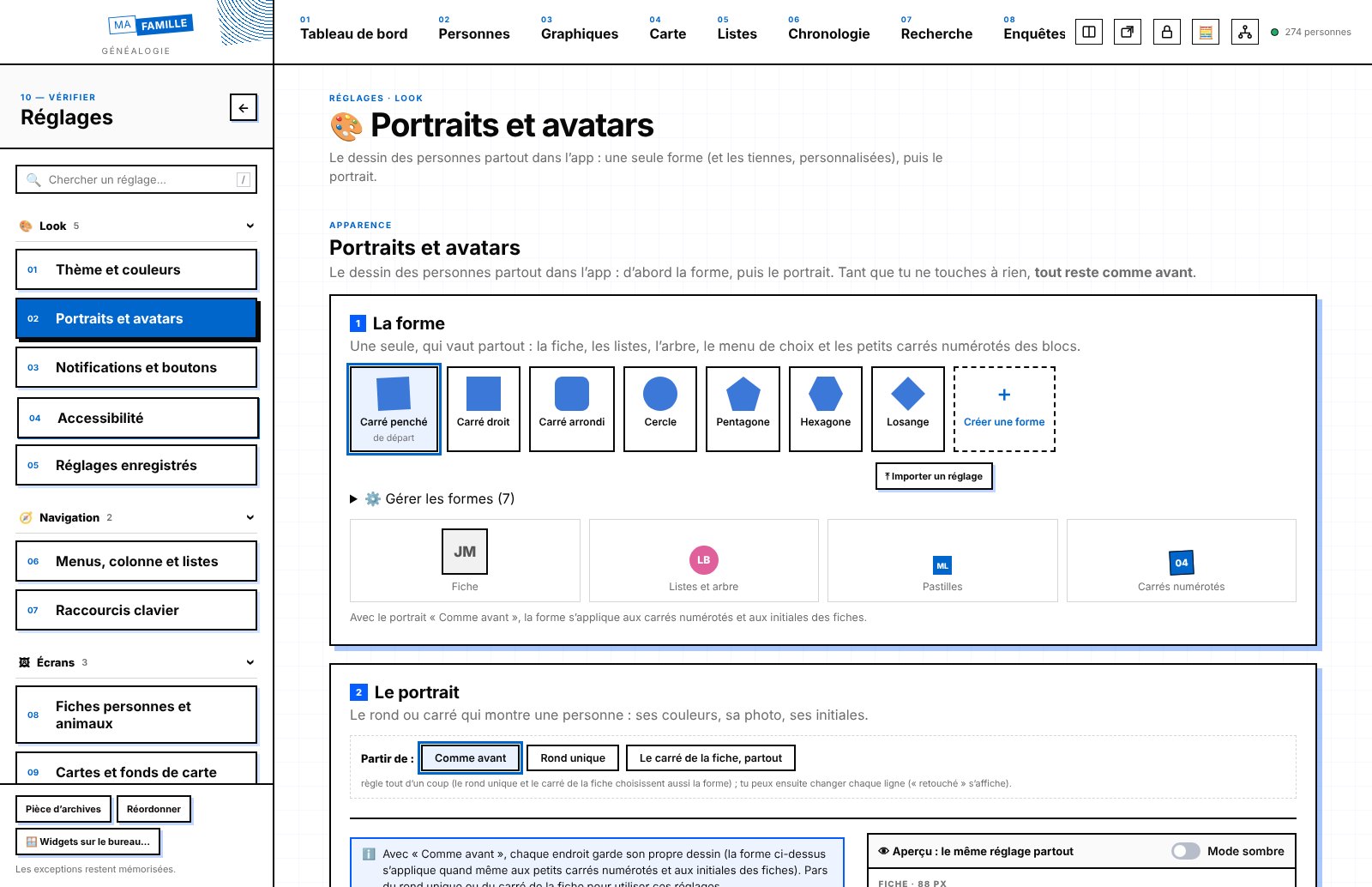
“Designs to choose from” disappears: the record style goes with the header shape, the left column has its own lines, corners and shadows, motion moves to Accessibility (🎞 Motion tab), and text size is gathered in Theme and colours (up to 32 px). Menus, column and lists gains the Column, Lists, Icons and Density tabs. Buttons in 8 sizes. You come back exactly where you were in Settings. 💾 “The whole app” also keeps Reorder, the Treasures and the editors, and really resets everything to how it was.
📊 Diagrams and dashboard
Hourglass, Gantt, mind map, radial bars, bubbles and progress rings filled with your tree's figures. The 🧩 widget library opens from the dashboard; charts can be reordered in Charts.
🥚 A secret
Something is hidden in the archive room…
🐞 Bugs fixed
Settings that clashed with each other (simple mode and view-only mode, messages covering the bottom bar, display name saved twice), the grain of the “Old paper” style, live previews of lines and shadows, frames and buttons stuck together, double frame in a search, 3 aces lost at the start of six solitaire games.
A small table is added to the database automatically for the Treasures, the first time you use them: nothing to do.
Version 0.8.2 Spreadsheet (solver, scenarios, recorded actions), video editing (colour wheels, green screen, tracking, multiple cameras, standard loudness), PDF/A and fold-up booklet, retouching (Liquify, magic eraser, PSD), drawing (dimensions, perspective)
🧾 Spreadsheet
✨ Flash fill (one example is enough), Σ subtotals with ⊟ outline that collapses the detail, 📈 sparklines in cells, 🎯 goal seek, 🧮 solver (several cells, constraints, whole numbers), 📋 scenario table (“what if…”), ⏺ recorded actions to replay in one click, and the LET and LAMBDA formulas.
🎞️ Presentation
↔ Connectors attached to two objects, ⊕ shape merging (union, subtract, intersect), 🗂 slide master with page number, 〰 animation motion paths.
📝 Word processor
🔁 Offline thesaurus, 🔎 proofreading (spaces before “; : ! ?”, French « » quotation marks, ellipses, apostrophes, repeated words, capitals) and ♿ accessibility check (images without a description, headings, tables, links).
🎬 Video editing
🎨 Colour wheels, 🎯 vectorscope and histogram, 📢 standard loudness on export (LUFS), 🟩 green screen, 🎯 a title or overlay that follows a moving subject, 🎥 multiple cameras synced by sound and edited by switching from one to another.
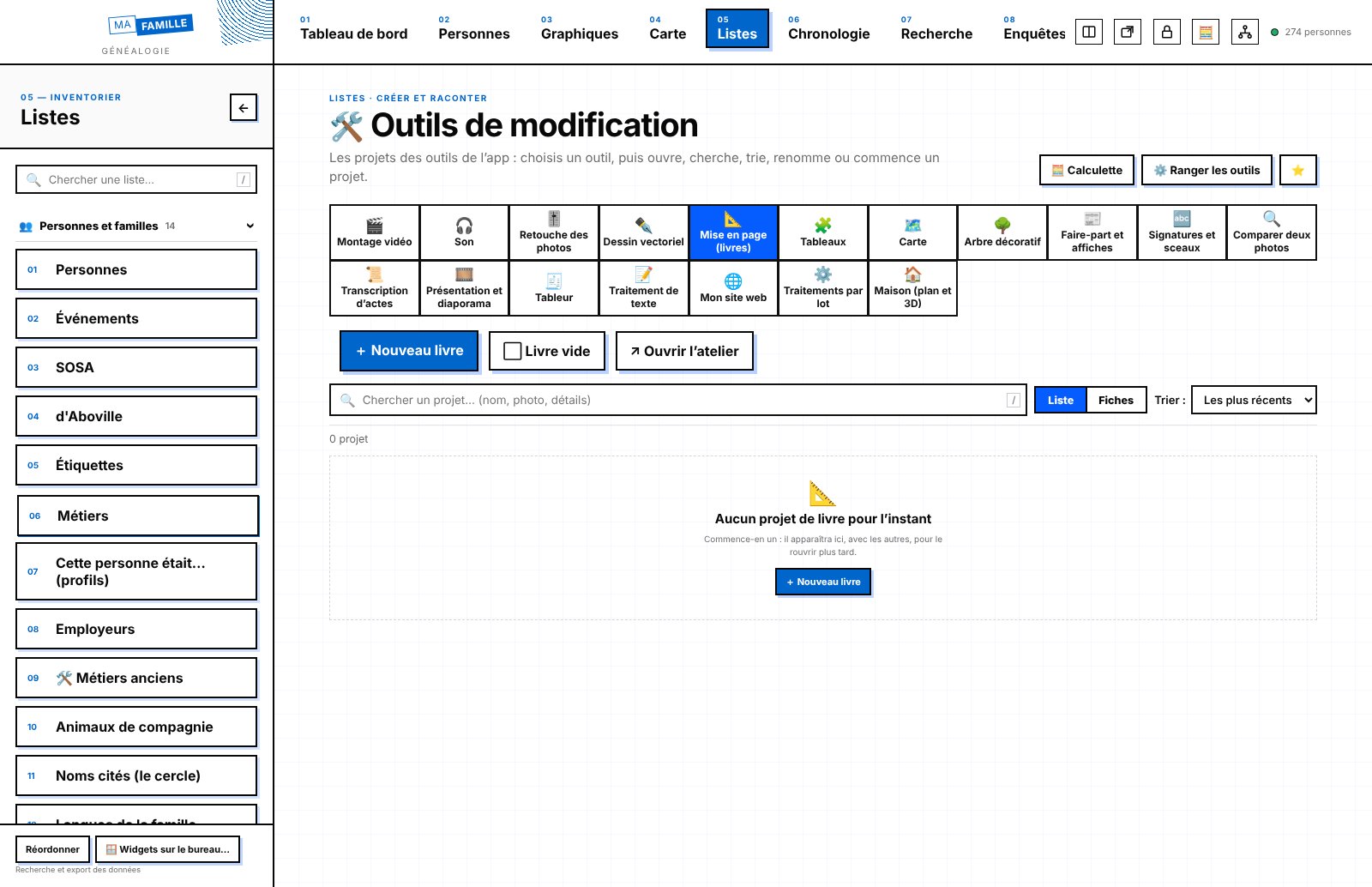
📐 Layout
🗄️ PDF/A export for archiving and 📖 fold-up booklet (pages put back in printing order, to staple in the middle).
🎚️ Retouching
💧 Liquify (push, bloat, pucker, twirl), 🪄 magic eraser (the background of a scanned document made transparent), ✨ refine a mask edge (hair, outlines), 🗂 PSD with its layers, to import and export.
✏️ Vector drawing
📏 Dimension tool (length written in cm, mm or inches), 📐 perspective grid with 1 or 2 vanishing points, 〰 variable stroke width (tapered, pen, brush) and ⧉ blending of two shapes.
The database structure does not change: no database update the first time you open it.
Version 0.8.1 The house like an architect's plan (DXF, repeat, arrow labels, title block), 145 more pieces of furniture and appliances, website with a real code editor, pivot table and mail merge, clearer settings, shortcuts at the top right
🏠 The house, like an architect's plan
⤒ import a DXF plan (AutoCAD, LibreCAD, an architect's or notary's plan) and ⤓ export yours as DXF, organised in layers (walls, rooms, openings, furniture, text, dimensions). 🔁 Repeat places several copies at once: 6 chairs around a table (facing it), a row, a grid, or a row of windows along a wall. 🏷 Arrow labels: a note linked to a point on the plan, such as “The well was here” or “Double glazing fitted in 1978”. In the floor's “View”: overall dimensions, a table of rooms and their areas placed on the plan, a title block (name, place, period, floor, date) and a dark technical-drawing display.
🛋️ Furniture
145 more items in Appliances, Office, Garage and Lighting (washing machine, hobs, cooker hoods, wall-mounted TV, valve radio, office chair, globe, safe, typewriter, cars old and new, bicycles, tool board, chandeliers, ceiling lights, oil lamps…). 71 objects of prayer and remembrance from every tradition (Jewish, Muslim, Buddhist, Hindu, Sikh, Shinto, ancestor worship, Orthodox, Protestant…).
🌐 My website
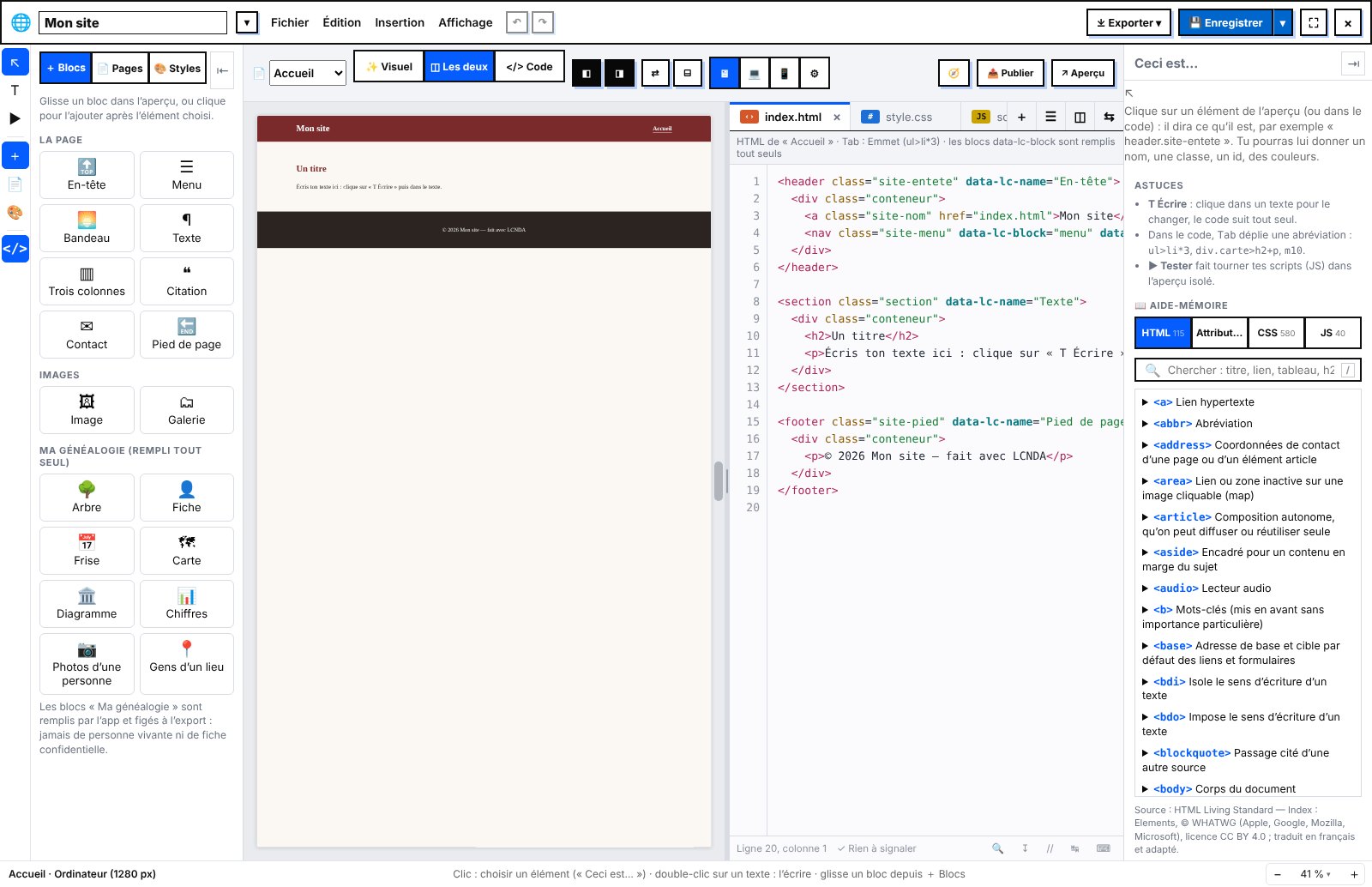
A complete code editor (find and replace, go to line, comment, formatting, checking, shortcuts). Extra CSS, JS and PHP files, organised in folders; two files side by side; real PHP pages in the preview; open a whole folder; an HTML, CSS and JS cheat sheet. “🧭 Browsers” checks the site and imitates Safari, Firefox or Edge, with a compatibility database that works offline. @media screens can be adjusted.
🧾 Spreadsheet and 📝 word processor
Pivot table (↻ refresh) and a live chart that follows the selection. Merge fields, “fill from a record”, mail merge and ready-filled templates (record request, an ancestor's identity sheet, a search notice for cousins). The spreadsheet now has its own symbol, 🧾; the calculator keeps 🧮.
📊 Diagrams
Hourglass, Gantt, mind map, radial bars, grouped bubbles and progress rings.
🎨 Clearer settings
Appearance is arranged in three groups (Look, Navigation, Screens), with a button to go back to the previous page. No more A1, A2… codes: each setting has its icon and its name. The first name and surname of the logo move to “Theme and colours”. Button shape joins “Notifications and buttons”. The buttons in the record header fit on two lines and can be arranged one by one. Those of the word processor and the spreadsheet are arranged in “Buttons and options”.
↗ Buttons at the top right
A shortcut (hidden at first) to each editing tool and each part of Investigations, with the choice of opening the list of projects or a new project. There is also “👤 New person”. 🧩 Boards join the Editing tools.
🧓 Simple mode and 🐾 tracking
11 new kinds of big buttons (family, birthdays, a place, quiz, clock, call, video, sound…), and the tile still to complete shows in the preview. In tracking, a 2nd route is added to the first, with a clear message. The base map can be chosen on each map.
🐞 Bugs fixed
A custom avatar shape stays selected when you come back to the page. The bundled PHP for Windows downloads even when windows.php.net has moved it to “archives/”, and its checksum is always verified.
The database structure does not change: no database update the first time you open it.
Version 0.8.0 Animal tracking, records arranged in sections, weather of the past, word processor and spreadsheet, sound studio, a more advanced house, database check, research log, land registry, website, games, simple mode and designs to choose from
🐾 Animal tracking
A new tab (hidden at first, to show in Settings → Appearance → tabs) for tracking animals in the field or at home. It is made of blocks, like the dashboard, with pages per species or per site, and its blocks can also go on the dashboard. Rings and marks according to the species (bird, cat or dog, horse, farm animal, fish, marine mammal, wild animal, primate), with the basic colours and the colour window. An uncertain reading (“7?”, “7[K|X]”) is kept as it is, along with the possible animals. Sightings with several photos, sounds or videos; GPS routes (GPX, Movebank, collar); health and weight with the curve; groups, roles and social history; census; sharing and merging with another tracking project.
🗂️ Records arranged in sections
The blocks of a record are arranged in sections (Identity, Family, Life, Documents; for an animal: Record, Rings and marks, Sightings, Health, Group, Map). Six layouts to choose from, including tabs at the top. An editor without a “Save” button lets you arrange sections and blocks, for all records or just one. The address remembers the open section, and the settings preview shows the real record. A single record for an animal: the full record, with “👁+ New observation” and “👁 Last seen” in the header. Deleting an animal takes all its tracking with it; everything can be restored from the log.
🌦️ Weather of the past
The weather on the day (and at the time) of an event, offline. Each time, the app tells you where the information comes from: measured, station N km away, estimated or reconstruction. The altitude of places is taken into account, in 14 countries. A Europe pack is available as an option. You can hide the weather everywhere, by type of event, by person or by event.
📝 Word processor
A real word processor inside the app, with real pages, styles, notes, a table of contents, an index and a bibliography. People and places are inserted with the picker menu and stay up to date. It also has tables, track changes, comments, versions and reading aloud. It opens and saves Word (.docx), LibreOffice (.odt), .rtf, Markdown and text files. To go faster: “📝 Write about this person” from a record, and a report from the Research log.
🧾 Spreadsheet
Formulas in French, Excel, LibreOffice and CSV files, genealogy functions (age, year of a record, Sosa generation). “🧾 Edit the data” for diagrams, presentations and boards. It fills a table from the app and can send changes back to the database, with “↶ Undo”.
🎧 Sound
A complete 🎚️ Sound studio, with effects that never touch the original, a spectrum view and repair brush, markers linked to people, transcription, multitrack and music that dips under the voice. A ⚡ Quick sound with big switches (“✨ Clean everything”, Before / After). The previous editor remains the default choice.
🏠 House
Voids, mezzanines, railings and stairwells; dormers, eyebrow dormers, roof windows and attics with floor area under the French Carrez law; curved walls. You also get the cross-section, the areas, the plan check, the people in each room, the guided tour read aloud and its video, the hamlet, and another period shown as a ghost for comparison.
✅ Database check
A single page brings together impossible dates, odd ages, parents, duplicates and misplaced places, with the same figures everywhere (page, widget, record banner). Its thresholds can be adjusted. “This is not a mistake” sets a case aside, and it comes back on its own if a date changes.
🔎 Research and work
📔 Research log (archive visits, results by reference, “🔍 Already searched” on the record) and 💬 questions for relatives, with a questionnaire to send. You can also compare hypotheses, cite your sources, browse the list of archive services, write a biography, see the world around a life, look up old occupations, file postcards and ten-year indexes, celebrate dates, share with the family and compare two photos.
🗺️ Land registry and images
Napoleonic cadastral parcels and plans linked to houses, places and people. Batch processing renames, resizes, converts, adds a watermark or makes a PDF. The app finds similar images and duplicates. Retouching can rotate the whole image, straighten the horizon or turn a sideways photo upright.
🌐 My website
A visual editor where everything is dragged with the mouse, with real diagrams and a map. Publishing goes to Netlify, GitHub Pages or secure FTP, or into a .zip for MAMP or WAMP. Living people are never published.
📊 Diagrams and 🎲 games
38 new diagrams and a “Chart” menu with criteria you can combine. A simple and scientific calculator, also as a widget. To play: Who is it? with the ancestors, portrait Memory, The right date, Tic-tac-toe up to 30 × 30 and 🌀 Maze.
🧓 Simple mode and 🎨 designs to choose from
A big-button mode to show the tree and photos to the family, read-only, with relationships spelled out in plain words (“your grandmother”). The designs to choose from change the shape of the app (lines, corners, density, icons, buttons, lists, motion) and always keep your colours and your font.
🧭 An even more consistent app
The same words and the same symbols for the same buttons. Everywhere the same form errors, the same windows (Print, Import), the same tooltips and shortcuts written for your computer, and the same “⋯” menu and right-click. Settings save themselves, with “↶ Undo”. “Maintenance” is now called “Settings”. The buttons at the top right can be shown, hidden and arranged in Appearance. Changing page in the dashboard and in tracking is much faster.
🐞 Bugs fixed
“+ New animal” from People now opens an animal's record properly. About thirty bugs fixed in Word and Excel files, dozens in retouching, video editing, layout and drawing, and 9 in the website. On the security side, weather packs and tracking data received from elsewhere are checked, and confidential photos are excluded from sharing. Simple mode and view-only mode never write to the database.
Version 0.7.1 Photoshop-style retouching (gradients, Hue/Saturation, paragraphs, glyphs, patterns, brush shapes), a single colour window, video editing, redesigned saved settings, diagrams, search by exact date, adjustable messages
🎚️ Photo retouching, like Photoshop
A real ▦ Gradient tool (linear, radial, angle, reflected, diamond; colour and transparency stops, 16 presets, handles on the image, inside a mask to blend a photo); the ⓘ Properties tab with Hue/Saturation (colour ranges, Colorize, eyedroppers, targeted adjustment), mask density and feathering; 🔤 Character, ¶ Paragraph and Ω Glyphs (font and its weight, justified text blocks with hyphenation, indents, French typography and genealogy signs); ▩ Patterns to apply to a layer or to create yourself (seamless tiling); 🖌 Brush shapes (stars, leaves, grass, chalk, calligraphy pen… and your own shape from a selection); images placed as smart objects 🧩 (enlarge, rotate without loss); Fill and fx layer effects (shadow, glow, stroke); non-destructive restoration (everything goes on layers); replace the sky, cut out a person, upscale ×2 / ×4, panorama; empty canvas; the two colour squares with X and D.
🎨 A single colour window everywhere
App colours, recent colours, then shades, HSL, RGB or CMYK, eyedropper and code; it replaces the system window throughout the app.
🎞️ Video editing
Transitions, old film, stabilisation, lockable tracks, snapping, music beats detected; stacked tracks in timeline order, full-screen video, titles with 17 entrances, 16 exits and their durations, sound-only export (MP3, WAV).
📐 Layout and ✏️ drawing
Family book templates, QR codes to records, mail merge; panel tabs (retouching, layout, drawing, 3D house) can be arranged and hidden in “⚙️ Customise”; in drawing, the Fill / Stroke squares open the colour window.
💾 Saved settings, new frame
Collapsible, one row per setting with “Apply” and a ⋯ menu (replace, rename, duplicate, export, delete with “Undo”); the name is typed only when you create a setting.
📊 Diagrams and maps
12 new diagrams (timelines, family links, chord, violin, bubble map); coloured maps with an “Area” field that suggests areas and towns, and new sources “The places in your tree”.
🔎 Search and questions
Exact dates finally work in Proximity and Dates (record dates read to the day, other calendars converted), “Between two exact dates”; “Ask a question” understands the place (“in Pernay”) and asks which one when several towns share the same name.
📏 Calendar / measures
Eight more frames (measures by region, age ↔ birth, gap between two dates, day of the week, saint of the day and movable feasts, canonical hours, foreign currencies, generations).
⚙️ Settings
A separate “Maps and base maps” page; messages after an action can be adjusted (corner of the screen, duration, colours of each kind of message); FAQ search with a single frame.
Version 0.7.0 Creations, artists and careers, the family house in 3D, drawing and coats of arms, transcription of records and old alphabets, presentations and life stories, charts and maps, photo maps, DNA and faces, several family trees, a more consistent and more accessible app
🎨 Creations, artists and careers
- “This person was…”: profiles to tick on a record (artist, craftsperson, actor, athlete, politician, scientist, inventor, explorer, soldier, farmer… and your own). Each profile adds its own parts; a person can have several, brought together on one page with a timeline coloured by profile.
- 131 types of works in 12 families: painting, sculpture and its casts, poster, record, song → recordings → releases, book, play → productions → performances → tours, film, series → seasons → episodes, crafts, games, flavours… and your own type, created in 5 steps.
- Catalogue raisonné and discography (album by album, track by track, credits, pressings), inventory of works (where, owned by whom, condition, value), provenance and exhibitions; records and books in several copies; records imported from the big online databases of music, books and films.
- Concerts and shows with the setlist (encores, covers, guests), tours, map and statistics; inventions (patents by country, prototypes), discoveries and expeditions; terms of office and elections; 137 sports with their figures by season; the official French list of craft trades.
- For anyone: “📰 In the media” (and the Press review), “🏆 Competitions and awards” (and the Awards list), “🎓 Diplomas and training”; everything can be found in the “🎨 Creations and careers” group of lists.
🏠 The family house, as a plan and in 3D
- Draw the house room by room, to the centimetre: lengths typed on the keyboard, snapping, dimensions, doors and windows, floors (with the floor below shown transparently for alignment), a roof the way you like it, an old plan or cadastral map to trace.
- Nearly 700 pieces of furniture and objects from the past, from trades and workshops, your own or imported objects; photos and paintings from the database in the frames, canvases and mirrors.
- First-person 3D tour, daylight, “🕰 Periods” that make the house change over the years; inhabitants, memories and censuses linked to each house, 🏠 Houses block on the record.
✏️ Drawing, coats of arms, plans and announcements
- A complete drawing tool: pen, shapes, layers and groups, masks, text on a path, gradients and patterns, align and distribute, vectorise an image; SVG, PNG, JPG, PDF export.
- Coats of arms (shields, partitions, tinctures, hatching, 44 old ornaments), town or village plans (roads, rivers, buildings, compass rose, period styles) and maps to scale.
- Announcements and posters filled from the tree (birth, wedding, death, cousins' reunion…), in many more formats, double-sided or folded with their envelope; signatures cut out from a record, wax seals, monograms, bookplates.
- Decorative tree to print large: fan, wheel, drawn tree, box tree, up to 12 generations, 13 styles plus your own, A4 to A0 formats.
📜 Reading old records
- A transcription workshop: image and text side by side, areas linked to each passage, automatic reading, detection of names, roles, dates (written out in words, and French Republican dates), places and occupations, record templates; “🎚️ See better” (sharpness, contrast, background removed, magnifier); a list of transcriptions.
- In Calendar / measures, the “Alphabets and languages of records” frame: choose a language from about forty (Latin, Occitan, Breton, Polish, Russian, Greek…), see its whole alphabet, its accented letters and clues to recognise it; type characters to find out which language they come from; a Cyrillic and Greek keyboard, with transliteration into Latin letters.
- The “What's missing?” assistant lists the records still to find and the archives to consult; printed-text recognition comes with the app.
🎞️ Presentations, slideshows and video editing
- Real presentations: themes, text, images, tables, charts, genealogy objects, transitions and animations, presenter view; import and export of presentations, PDF and video.
- “✨ Life story” automatically builds, from the record, a slideshow about a person: birth map, events, photos, period, places lived, descendants.
- Video editing: voice-over from the microphone, subtitles, slow pan-and-zoom on photos, “The life of…” and “A family” templates, music that dips under the voice, phone or square formats, chapters, speed from 0.1× to 10×, footage organised in folders.
🎚️ Retouching and layout
- Guided restoration of an old photo: straighten, remove yellowing, spots, scratches and creases, colourise with period colours, compare before / after.
- 41 filters that never touch the original photo, remove reflections from glass, select the subject in one click, place an image on a layer, separate eraser, blend modes, actions for several photos at once.
- Books: text that flows from one frame to the next, table of contents and index of names filled in automatically, footnotes and cited sources, index of places and occupations, a tree that updates itself, preflight check before printing, text checked against the records, review mode with comments, ePub.
📊 Charts, diagrams and maps
- Charts to place anywhere, kept up to date, with your own figures (table, paste, file, Wikipedia page, and even an image of a chart), stored in a list and in folders.
- 22 new shapes: ancestry fan, lineage sunburst, relationship network, time spiral, changing ranking…; parliament charts and membership timelines.
- Maps coloured by area (French departments, regions, European countries, continents) with a zoomed inset of the Paris region (Île-de-France) and a “Municipalities” level of detail for France, Belgium, Switzerland and Luxembourg; migration map.
📸 Photo and video maps
- The place and time of a photo or video are read automatically, and can be corrected by dragging; photos without a position wait in “To place”; a timeline to go back in time, down to the second; all maps as chips at the top of the tool.
🔬 Searching differently
- DNA tab (hidden at first, with a warning about French law): matches, automatic clusters, chromosomes, lineages, probable placement of a cousin in the tree.
- “👤 Faces” recognises people in photos, on your computer only; “Ask a question” in French understands relationships, records, ages and French Republican dates; impossible dates are flagged as you type.
- Magazines, books, documentaries and podcasts (issues to buy, articles, timestamped moments, annotated screenshots); small ads and letters to newspapers with the price calculated.
🌳 Several family trees, and a jigsaw
- Several completely separate family trees, each with its own database, media, backups and settings.
- 🧩 Jigsaw from 12 to 1,000 pieces with an image from the database, timer and records; archive room and museum to furnish.
🧭 A simpler, more consistent app
- Everywhere, the same menu to choose a person, a place or anything else (French municipalities and towns worldwide, never blocked by places with the same name) and a single window to choose an image, a sound or a video.
- The same bar above every list (Search · Filter · List | Cards · Sort); no more “Are you sure?” for things that can be undone: you delete, and a message offers “↶ Undo”.
- The same date, colour and slider fields, the same export window, the same “💾 Saved settings” everywhere; dark mode everywhere; better support for small screens.
♿ Accessibility and appearance
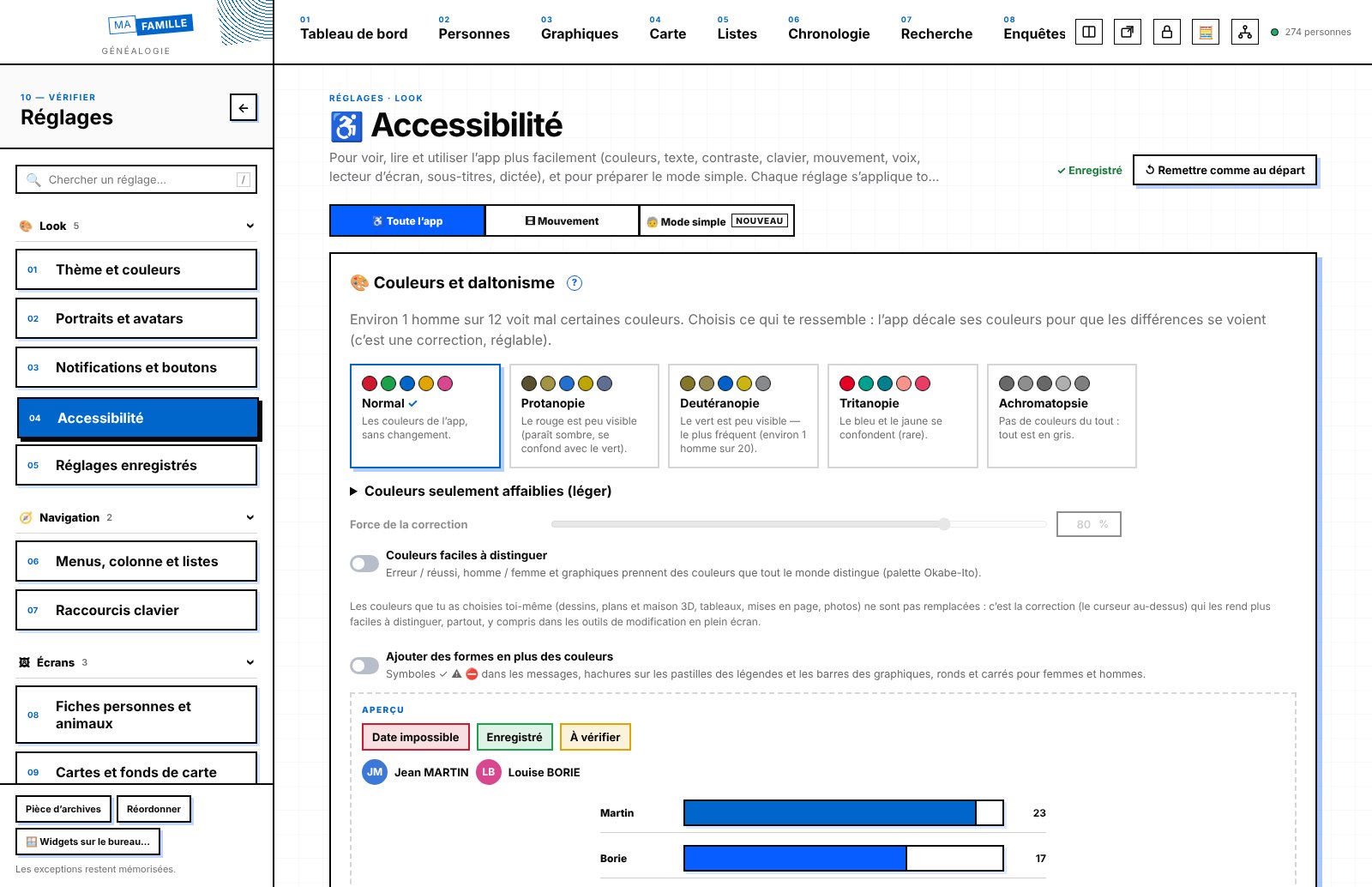
- Settings for colour blindness (with “See as…”), text size and spacing, fonts for easier reading and for dyslexia (built in), high contrast, large targets, fewer animations, reading aloud, dictation.
- Rename the menu tabs and choose their emoji; your own avatar shapes and themes; adjustable record header; Lists and Settings arranged in collapsible groups.
- The “My shortcuts” widget leads to anything (a record, a filtered list, a tool, a website), and its pencil lets you add and arrange your shortcuts directly.
🐞 Bugs fixed
- Data entry: a double-click sometimes created two records; Enter could erase what you had just typed; two tabs open on the same record overwrote each other without warning; Escape sometimes closed one window too many.
- Family: removing a parent did not always remove them; half-siblings could end up with three parents; impossible merges (between spouses, between an ancestor and their descendant) were accepted.
- GEDCOM: French Republican and Julian dates, tags, animals and note titles were lost; search was sensitive to accents and hyphens; “born on 29 February” was only half understood.
- Maps and display: Russia appeared only in pieces on the world map; text overflowed and elements stuck together throughout the app; side-by-side frames did not have the same height.
- Settings: 17 “Site default” settings were not kept; a ¾ chart went back to ½; a custom avatar shape was shown under the wrong name.
- Security: backups and databases received from elsewhere checked before opening, links checked, CSV exports protected, and many other safeguards.
Version 0.6.0 Layout workshop, photo retouching with layers, small video editor, sound projects, free-form boards, animals, topic cards, family book and booklets, statistics and your own settings
📐 Layout workshop
- Make the book of your family history as in desktop publishing software: single pages or facing pages, master pages (page number, running head), layers (hide, lock, arrange).
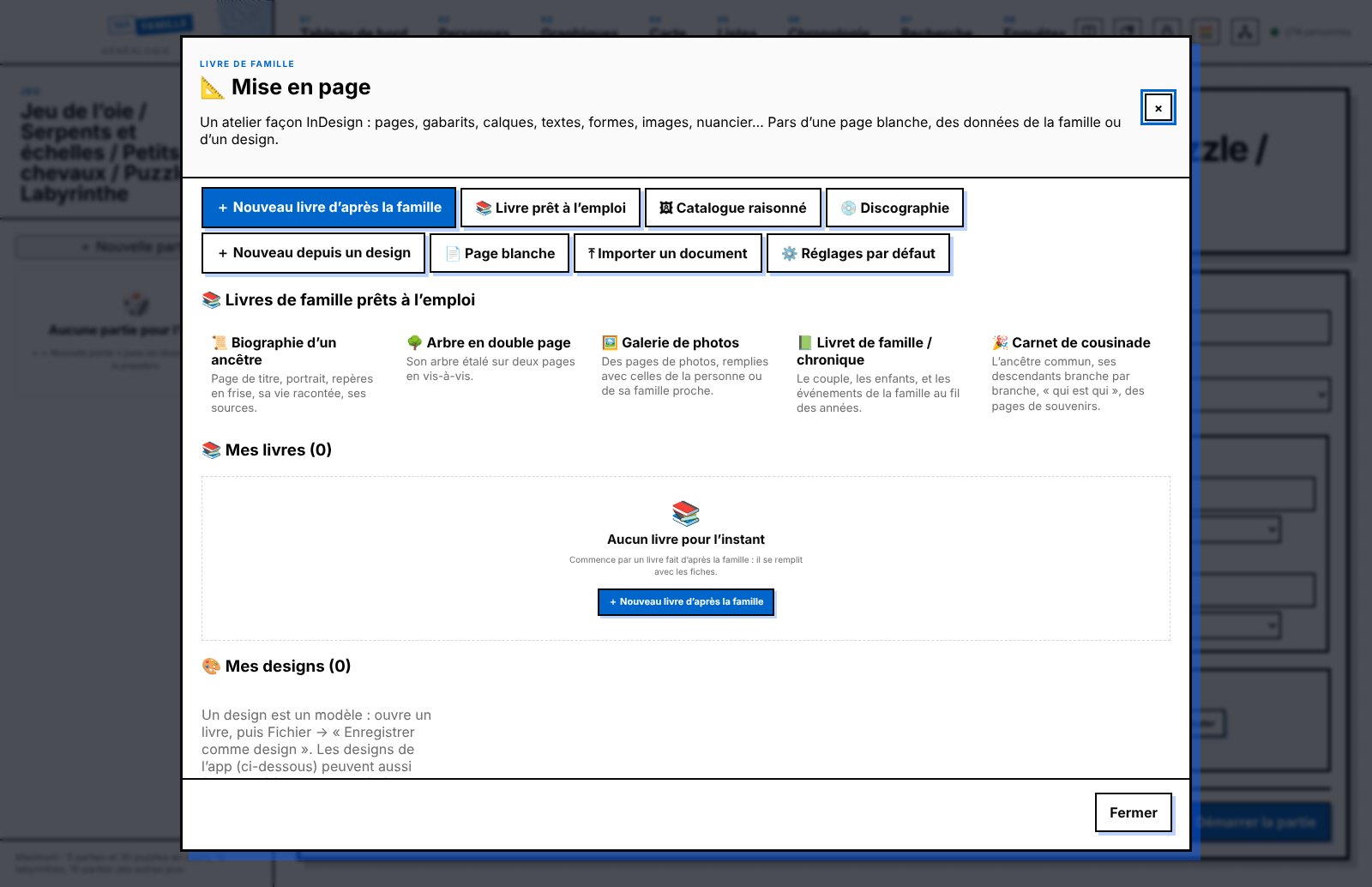
- To start: a blank page, the family data (cover, preface, figures, tree, one page per person with their photo, chronology, places, index — text that is too long continues automatically on the next page) or a design. Format, margins, columns and gutter, bleed and baseline grid chosen at creation, with editable default settings.
- Six designs supplied (Classic, Modern, Elegant, Sepia, Photo album, Plain) and your own designs, all editable; the list shows the cover of each book and each design.
- Text: all the fonts on your computer, size, leading, tracking, kerning, baseline shift, capitals, superscript; alignment, indents, spacing, drop caps, hyphenation, lists, columns; paragraph and character styles (change a style and the whole book follows); automatic page number and title.
- Shapes (rectangle, ellipse, polygon, star, line, pen), image frames (photos from the database or the computer, fill, fit, crop), swatches and gradients, strokes (weight, dashes, dots, corners), effects (opacity, blend modes, drop shadow, feathering, rounded corners).
- Text wrap around a photo or a shape, Pathfinder (add, subtract, intersect, exclude), align and distribute, smart guides, links (placed images, clickable web addresses).
- Add or insert pages (as many as you like, wherever you like), duplicate, move, go to a page; apply, remove or replace a master on one page or several; undo / redo with history; the keyboard shortcuts of desktop publishing software.
- Save, pick up later, export as PDF (also with bleed and crop marks for a printer), as an HTML page or as a file to share.
🎬 Small video editor
- Complete editing: as many video, text and sound tracks as you want (hide, arrange, rename), animated titles, fades and transitions, detached audio, colours, full screen.
- Photos in the video tracks, one after another or overlaid; drag an item from one track to another of the same kind; ⌫ to remove, B to cut.
- An inspector for each item: Transform (position, rotation, scale, anchor), Crop, Distort, Spatial conform, opacity and blend modes, with keyframes to animate everything.
- Adjustable layout, block colours, buttons and recording (MP4 or WebM, size, quality), with named setting sets you can export and import.
- Editing projects saved separately from the exported video, a Footage tab (the project's videos, photos and sounds, which can be renamed), video imported with its sound, sound separated from the picture, speed of each clip, photo duration of your choice, sound settings clip by clip or for the whole film, menu at the top, instant play and pause.
🎚️ Photo retouching, with layers
- Start from a photo in the database, an image on your computer or an empty canvas; File, Edit, Image, Layer, Select, Filter and View menus.
- Layers, layer groups (and groups of groups) arranged by drag and drop, adjustment layers (adjustments and filters, on everything below or only on the item just below), masks, the photo itself being a layer like any other.
- Selections (rectangle, ellipse, lasso, pen, magic wand), spot healing, clone stamp, brushes, shapes, text, curves, history; retouching projects saved so you can pick up the work later.
🎧 Sound
- Sound projects: keep a sound you are working on (lossless) and come back to it; “New sound project” in the list of audio files; recording in MP3, FLAC, AIFF, WAV or Ogg.
🛠️ Editing tools
- An Editing tools list: all video, sound, retouching and layout projects, to search, sort, open, rename or start.
- Buttons and options of each tool shown, hidden and arranged, and your own keyboard shortcuts in each tool, refused if they are already taken by macOS, Windows, Linux or the app.
🧩 Free-form boards
- In Investigations: free-form boards with nearly 800 shapes, notes, text, attached arrows, freehand drawing, pen, photos and documents, records, app screens, widgets.
- Automatic tree, live timeline and map, layers, groups, snapshots, presentation, comments, voice memo; boards linked to an investigation, a search sweep, a family, an event or an animal.
🐾 Animals
- An Animals tab: a discreet record or a full record like a person's (tree, pedigree, inbreeding, photos, notes, sources), breeding database, species, categories and your own fields.
📒 Topic cards
- A “Cards” tab (hidden at first): a page about a topic — a country, an occupation, a custom — made of blocks (text, images, people, date timeline, quotation, links, app screens, widgets), edited in place like widgets.
- Reuse the same block order for a new card, or turn it into a template offered when you create the next cards.
📖 Family book, family booklets and employers
- Family book by branch: parts to tick and arrange, text, styles, fonts, format; PDF, HTML, Word, OpenDocument, ePub, Markdown, text, CSV.
- French family record booklets (livrets de famille) transcribed in full, with people linked to records; employer records in the style of a company profile.
📊 Charts, widgets and your own tabs
- Chart and widget editor, your own tabs with any screen of the app; dashboard in pages and collapsible groups.
- Distributions: “+ Criterion” as many times as you like, default filters, and a click on a bar (age pyramids included) shows the people counted.
- Village record and municipality monograph as widgets, detailed saint of the day, research suggestions.
⚙️ Settings and comfort
- My setting sets: all the app's settings saved under a name, applied, exported, imported.
- Bottom menu or right-hand side column, as you prefer; drag and drop everywhere; lists you can hide in one click; empty rows of the Identity block hidden on one record or on all of them.
- A searchable FAQ in French (ignoring accents, with synonyms) and a security review.
🐞 Bugs fixed
- Marriages linked to two people and marriage places that did not show in distributions; duration of recorded videos; dashboard widget pencil too slow.
- Video editing: “Cancel” while importing closed the project; a video dropped on track 1 was refused; play and pause were slow to react; ⌘Z could not undo a cut made with B.
- Mac app: ⌘Z and ⇧⌘Z did not reach video editing, retouching or layout; Escape asked for confirmation twice; “Cancel” in a file chooser closed the open window.
- Retouching: the layers panel overflowed; the starting photo could not be dragged or deleted like a layer; buttons that should have been hidden stayed visible; “Photo versions” appeared on an empty canvas.
- Layout: some master page buttons did nothing; text colour lost the selection; “Duplicate” could crash; renaming a layer by double-clicking did not stick.
- Drag and drop: a row could end up in another list, and the drop marker was hidden behind windows; in Settings, arranged or hidden buttons were never saved.
Version 0.5.0 Collections, page-by-page record indexes, census address map, a village record you can organise, research workshop, sounds and videos, calendars
📚 Collections
- The pages of a register or notebook photographed in order, with transcription and versions side by side.
- Cover image, “To sort” folders, arrows between the images of a page.
- A table in every page: paste from a spreadsheet, locked or free order, merge cells, CSV export, row linked to a record.
- Link a page or a single image to a person, an investigation, a search sweep, a workshop or a village.
📜 Record indexes
- In Lists, page-by-page archive indexes: scan views, document pages, photos and transcription.
- People grouped by household, numbered as you like, with the household's address (number and street), and a 🔒 padlock so nothing gets changed by mistake.
- The same data as Research › Archive index, with a link in both directions.
🗺️ Address map
- The addresses of a census on a map, for the year of your choice.
- The French national address database (Base Adresse Nationale) for the department, read on your computer: automatic placement without internet, or by hand.
- Old street names, vanished streets drawn in, old maps overlaid, favourite base maps in Appearance.
🏘️ Village record
- Census map shown by default; ⚙️ Organise the record (order, hide, width of each part); notepad.
- All the households in a census by municipality and by year, with CSV export.
🔬 Research workshop
- A 3rd tab in Investigations: thesis, book or exhibition projects with nested folders.
- Zotero, CSL JSON and EndNote import; Word (.docx), print / PDF and CSL JSON exports; widgets and “From the app”.
🎧 Sounds, videos and calendars
- Audio and Video lists with a player (speed from 0.10× to 6×); ✂️ sound and video workshop (cut, improve, join) that always keeps the original.
- 📅 My diary and Family calendar, with an “upcoming” widget.
- Field trips: logistics and technical details for each stop.
Photos, lists and fixes
- 🧩 Stitch photos together; spot healing in retouching.
- ⚙️ Columns for every list; list editor with its own form; 8 chart designs for widgets.
- Better encryption for the copy kept at a cousin's, INSEE death records as .zip, data-entry windows that open inside the desktop app, and many other fixes.
Version 0.4.2 3D family museum, photo retouching, your own widgets, voter cards, automatic INSEE death records, 26 calendars, many fixes
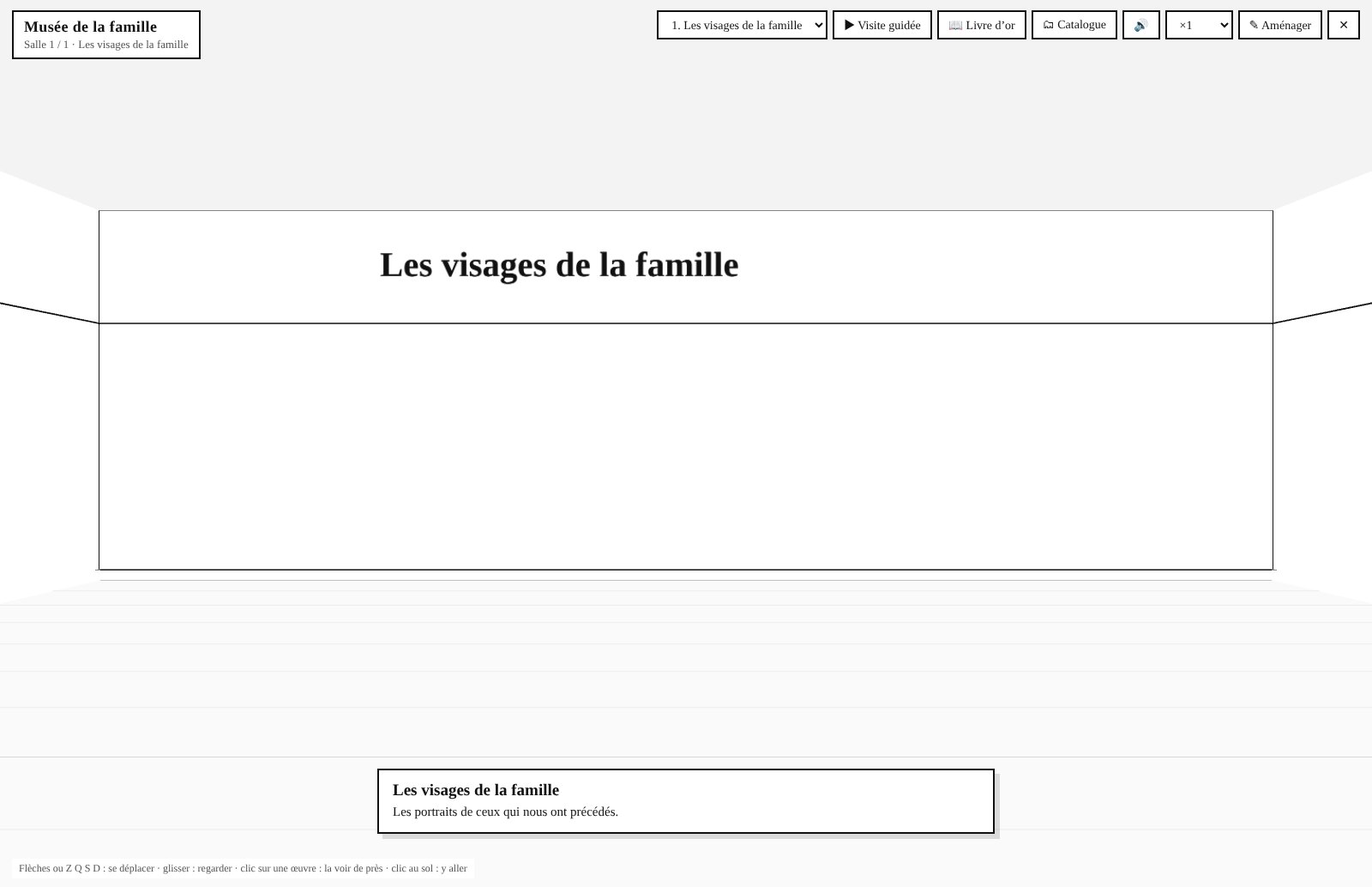
3D family museum
- Rooms where you display photos, documents and objects, with a floor plan of the room to place each item and a custom room size.
- Guided tour with an audio guide (your own recordings or a synthetic voice with adjustable speed), guestbook and catalogue.
- Share as a website or as a file.
Photos and appearance
- Retouching (brightness, contrast, curve): the original is always kept, each retouch becomes a version.
- Saved layouts: all the Appearance settings under one name, to share.
- All Unicode emoji: people (with skin tones), objects and symbols.
Dashboard, lists and search
- Widget editor: create your own (figures, list, chart, text, shortcuts), with several parts in the same widget, or start from one of the app's widgets.
- My lists in the Lists tab, shared as a file, with filters and sorting by column.
- Ask a question in French: “Did Jean Dupont have children?” → “Yes, 2 children.”, people with the same name listed, saved searches.
New blocks and tools
- Voter cards block, and a world map of voting rights for men and women.
- INSEE death records: new files on data.gouv.fr are flagged and imported by the app.
- Village record: sorting by column and population taken from Wikipedia.
- Sea voyages: routes that only go by sea.
- Online records: free fields, screenshot of the tree, search on Geneanet, Filae… with the information from the record.
- Events: “Uncertain date” box.
Calendars
- Convert a date into 26 calendars: Hebrew, Ethiopian, Indian, Japanese, Korean, Chinese, Persian, Bengali, Thai, Coptic, Byzantine…
- For old records: the Roman calendar (kalends, nones, ides), English Old Style (before 1752), Easter style (France before 1567).
- French Republican months with their Gregorian dates; any calendar can be chosen as the default calendar.
Fixes
- Merging two records keeps everything (variants, witnesses, photos, blocks…).
- GEDCOM: old encodings (ANSEL, MS-DOS, Mac, UTF-16) and “about”, “from”, “to” and “BC” dates; exports that respect private records and living people.
- Handwriting recognition (HTR): fixed when the data folder contains a space (Mac).
- French overseas places (Guadeloupe, Réunion…) correctly counted as France; and many other small fixes.
Version 0.4.1 My lists, a richer village record, one-click installation of handwriting recognition, fixes
My lists (Settings)
- Create your own lists by combining criteria: for example divorces between 1850 and 1920, marriages without a source, ancestors born in a given department…
- Add your own columns: free text, drop-down menu, checkbox, date, number, web link or person in the database.
- Hand-written lists, without pulling anything from the database: ideal for preparing for a genealogy fair (stands to visit, what I'm looking for, priority, done).
- Tags on lists, CSV export and printing.
Village record
- Records by decade, as you choose: all, births, marriages, deaths or any other kind of event.
- “and N others” expands to show the whole family.
- Choice of base map (Cassini, French General Staff map, IGN…) and a population chart under the map.
Handwriting recognition (HTR)
- A guide and an “Install” button: Kraken and its models install themselves in the data folder (Python 3.10 or 3.11 required), or a model can be added by hand.
Comfort and fixes
- Block editor: any emoji, a section with every flag in the world, and the choice of showing the block in “Blocks to show on the record”.
- Municipality monograph: both spouses of a marriage, each with their own “Open” button.
- Misplaced places opens again, and much faster.
- Working as two: no more “database is locked” message on large databases.
- Records to request: the list takes the full width and “Prepare the letter” stays inside the frame.
- A mini FAQ at the end of “Glossary / tutorial / FAQ”.
Version 0.4.0 New blocks, block editor, village record, a clean database, working as two, a copy kept at a cousin's
New blocks on records
- Departures and emigration: port, ship, stopovers, passenger list, people who left together, each person's naturalisation, emigration papers, and the ship's route on the map.
- Child in care (wet nurse, foundling hospital, public welfare, with the duration), Coat of arms and nobility, WWI soldier 1914-18 (regiments, wounds, links to unit war diaries), Resistance member (network, code name, arrest, hiding places, day-by-day route on the map, companions) and Languages spoken and passed on to descendants.
- These blocks can be ticked on the record (“Blocks to show on the record”) or shown on every record (Appearance), in the order you choose.
- Block editor (Settings): create your own blocks without programming (text, date, choice list, linked person, place, photos, videos and sounds, information taken from a record, map), share them with a relative and import theirs.
- Tags on all these blocks, as soon as they are created.
New lists
- Village record: for each municipality in the family, the families who lived there, the main occupations, the church and parish, the population across censuses, records by decade and the Cassini map.
- Epidemics, wars, terrible winters next to the family's deaths, to understand a wave of deaths (cholera of 1832, Great Frost of 1709, Spanish flu…).
- Records to request (Correspondence register): records too recent to be online, the letter to the town hall ready to send, and a reminder on the day the record becomes public.
- Field trips, family papers, post-mortem inventories, old maps aligned on the map, Ancien Régime parishes, names mentioned in records (the ancestors' “circle”), help requests, Resistance members.
Search and understand
- Ask a question in French: “Which ancestors were bakers in Lille before 1850?”. Searches can be saved.
- “@Jean Dupont” links in notes, and a “Cited in” section on the record that is cited; detailed source citations, with the reference written automatically.
- Religious feasts on their exact date, first names compared with the INSEE file, ancestors' height compared with the French average, age at marriage and gaps between births.
- The family film: the animated map of the family through the centuries, recorded as a video.
- ⌘F highlights the words searched for and gives their count.
- Place suggestions find towns all over the world (Boston, Abidjan…), the most populous first.
A clean database
- Age alerts: a 55-year-old mother, a child born after the father's death, births too close together.
- Harmonise variants (“Laboureur”, “labour.”, “Labourreur”), after confirmation, and it can be undone.
- Misplaced places (swapped coordinates, wrong department for a place with the same name), impossible journeys, side-by-side comparison of the two records before merging a duplicate.
- Watched “Scans” folder: every photo or PDF that lands there goes into the app.
Share and protect
- Work as two on the same family tree: bundles of changes to exchange, to accept or reject one by one.
- Copy at a cousin's: an encrypted copy they keep without being able to read it, and give back to you the day your computer lets you down.
- Copy outside the computer (iCloud folder, Dropbox, USB stick), export of a single branch, and a password-protected view-only mode to show the tree safely.
Fixes
- “Mort pour la France” (died for France) is now saved on the record.
- Many fixes after a complete review of the code.
Version 0.3.1 Ancestors and descendants, merging a cousin's tree, keyboard shortcuts
Family
- “Ancestors” and “Descendants” blocks on each record, as a list: you choose the number of generations (for all records or just one), and a “┄ more” line shows there are more beyond. Also as a dashboard widget and in Charts.
- Closed branches: declare that a line of descent has died out, with a degree of certainty (certain, very likely, likely, maybe, serious doubt) and the reason; “extinct line” appears in the trees, and the list of closed branches is in Lists.
- Merge a cousin's tree (Settings): their GEDCOM file is compared with your database before anything is imported, then you decide record by record: “it's the same person, complete mine”, “new person, add them” or “ignore”. Nothing in your record is erased or replaced, and a backup copy is made just before.
- Bookmarks: a ribbon at the top of each record to keep it at hand; bookmarks have their own tab in the list of people.
Keyboard shortcuts
- More than 50 shortcuts, visible in the app's menus and with the F1 key: move around the family (⌥↑ the father, ⌥↓ a child, brothers and sisters, spouse…), previous and next screen, sections ⌘1 to ⌘9, save with ⌘Enter, viewer, transcription, search sweeps…
- ⌘-click on a person, a search sweep or an investigation: open it in the other half of the screen.
- ⌘Z outside a text box: undo the last change to a record, always after confirmation.
- In a date field, typing “v”, “av”, “ap” or “en” suggests the French words for “about”, “before”, “after” and “between … and”.
- Settings → Keyboard shortcuts: change any shortcut; the app warns you if it is already taken by macOS, Windows or Linux, and you can save your settings under a name.
- (On Windows and Linux, ⌘ is replaced by Ctrl, and ⌥ by Alt.)
Comfort and fixes
- “Reorder the widgets” button at the bottom of the dashboard.
- With two windows or a split screen, a setting changed in one is picked up immediately in the other.
- Appearance: each section shows which records have an exception.
- Small widgets no longer squash their title or number, and their settings (pencil) no longer overflow the frame.
- JSON export works again on large databases.
Version 0.3.0 Research help, search sweeps worldwide, family heirlooms and memory
Search sweeps worldwide
- The municipalities of 226 countries and territories ship with the app (Europe, the Americas, Africa, Asia, Oceania, the Caribbean), all usable offline; neighbouring municipalities on either side of a border are linked.
- “Online registers” button on each municipality in a search sweep: French departmental archives, Matricula, Antenati, the State Archives in Belgium, FamilySearch…
- The country is shown when you hover over the map.
Research help
- Estimated dates: a missing birth or death gets a range (“born between 1753 and 1772”), based on age at death, marriage, children, brothers and sisters, parents.
- Pedigree collapse: ancestors who appear several times in the tree and the rate per generation; the record shows all of an ancestor's Sosa numbers (“Sosa 42, 68 & 92”).
- Search the internet from a record, a widget or the Research tab: Geneanet, FamilySearch, Filae, historical newspapers, search engines… with the years of life, the place and the spouse to rule out people with the same name, and several sites opened at once.
- The front page of the day: Le Petit Journal, Le Petit Parisien, Le Figaro or Le Temps on the day of a birth, marriage or death (1854-1944, Gallica).
- First name and saint of the day: on the record (“Born on 24 June, named Jean: Saint John the Baptist”), in a widget and as a statistic by family and by period.
- Help reading old records: abbreviations, the Latin of parish registers, old handwriting letter by letter.
- Purchasing power of an old sum (“300 livres in 1780 ≈ 340 days' work for a day labourer”).
- The links to the 100 French departmental archives checked one by one.
The history around people
- Precise places: an address, a farm, a house at a glance, with its successive inhabitants and all the events that happened there.
- Family heirlooms: photo, who passed them to whom, and who has them today.
- Family memory: recipes, sayings, songs, nicknames, traditions, linked to the people who passed them on.
- Tags on heirlooms and memories; a tag can be created just by typing it.
- Genealogy fairs and events: date, place, how to get there, what to bring, stands to see, links, with a reminder a few days before.
Comfort
- Quick search with ⌘K (Mac) or Ctrl+K (Windows, Linux): a person, a search sweep, an investigation, a place or a screen.
- Split screen (side by side or top and bottom) and opening a screen in a new window.
- Reminders as system notifications, with the number of reminders on the icon (Mac, Linux).
- Offline map: a simple base map (municipalities and borders) replaces the map when there is no connection.
- Research summary widget: what you did this month and this year.
Protection and sharing
- Full password-protected backup (AES-256 encryption), to store safely on iCloud, Dropbox or a USB stick.
- GEDCOM export “for sharing”: living people and confidential records are anonymised.
- A person deleted by mistake can be restored with everything attached to them.
- Settings → Maintenance: check of saved web links, with the new address or an archived copy when a page has disappeared.
Version 0.2.1 Search sweeps across borders, and fixes
Search sweeps across borders
- Search sweeps no longer stop at the border: you can add the municipalities of Belgium, Switzerland, Luxembourg, Liechtenstein, Germany, Italy, Austria and Spain, as well as those of French overseas territories (Guadeloupe, Martinique, French Guiana, Réunion, Mayotte).
- Neighbouring municipalities on either side of a border are linked: a search sweep starting from Strasbourg crosses to Kehl, one starting from Hendaye crosses to Irun.
- As for France, former municipalities and named localities are attached to their present-day municipality.
- Each database chooses its countries (“Search sweep countries” section, with “Tick all” / “Untick all”); a country used by a search sweep cannot be removed by mistake.
Fixes
- Buttons that asked you to type some text (delete a record, new investigation folder, special census, rename…) work again.
- Printouts (charts, archive mission sheet, copy order form) open correctly.
- Searching for the starting municipality of a search sweep, and searching for places, are much faster on a new database (from several seconds to a few hundredths).
- The pencil on dashboard blocks works on a database that has never been customised; the number of people updates immediately.
- Investigations: the main person is shown and can be changed.
- Top menu bar: scrolling with the mouse wheel and a visible scrollbar, to reach the menus on the right on a small screen.
- The “Local access” block, useless in the app, has been removed.
First launch
This beta version is not signed yet. On a Mac, if opening is blocked: System Settings → Privacy & Security → “Open Anyway”. On Windows, on the “Windows protected your PC” screen: “More info” → “Run anyway”.
To check that a file has not been altered, compare its checksum with the list in SHA256SUMS.txt.
Everything that helps you understand a family.
Build and connect
Individual records, parents, siblings, couples, children, name variants, events and family trees.
- Trees, fans and hourglasses
- Censuses, places and maps
- Sosa, d’Aboville and DNA
Shape your workspace
Menus, record blocks, dashboard and widgets, themes, page backgrounds, text and button sizes: everything can be adjusted, saved under a name and shared. A simple big-button mode for older relatives.
Document
Photos, records, PDFs, sounds and videos, sources and confidence level; transcription of records, handwriting recognition, collections indexed page by page.
Investigate
Investigations with hypotheses and evidence, search sweeps on a map, research workshop, archive visits, reminders, budget and correspondence.
Create and pass on
The family book, the word processor, the spreadsheet, presentations, video editing, sound and a website; and the Family treasures: letters to descendants, gazette, birth sky, games.
Local database
People, events and research are stored in a local SQLite database on your computer: no internet needed. Automatic backups in a single file.
The notebook in pictures.
A few screens from the app. Use the arrows, the ← → keys on your keyboard, or swipe the image.
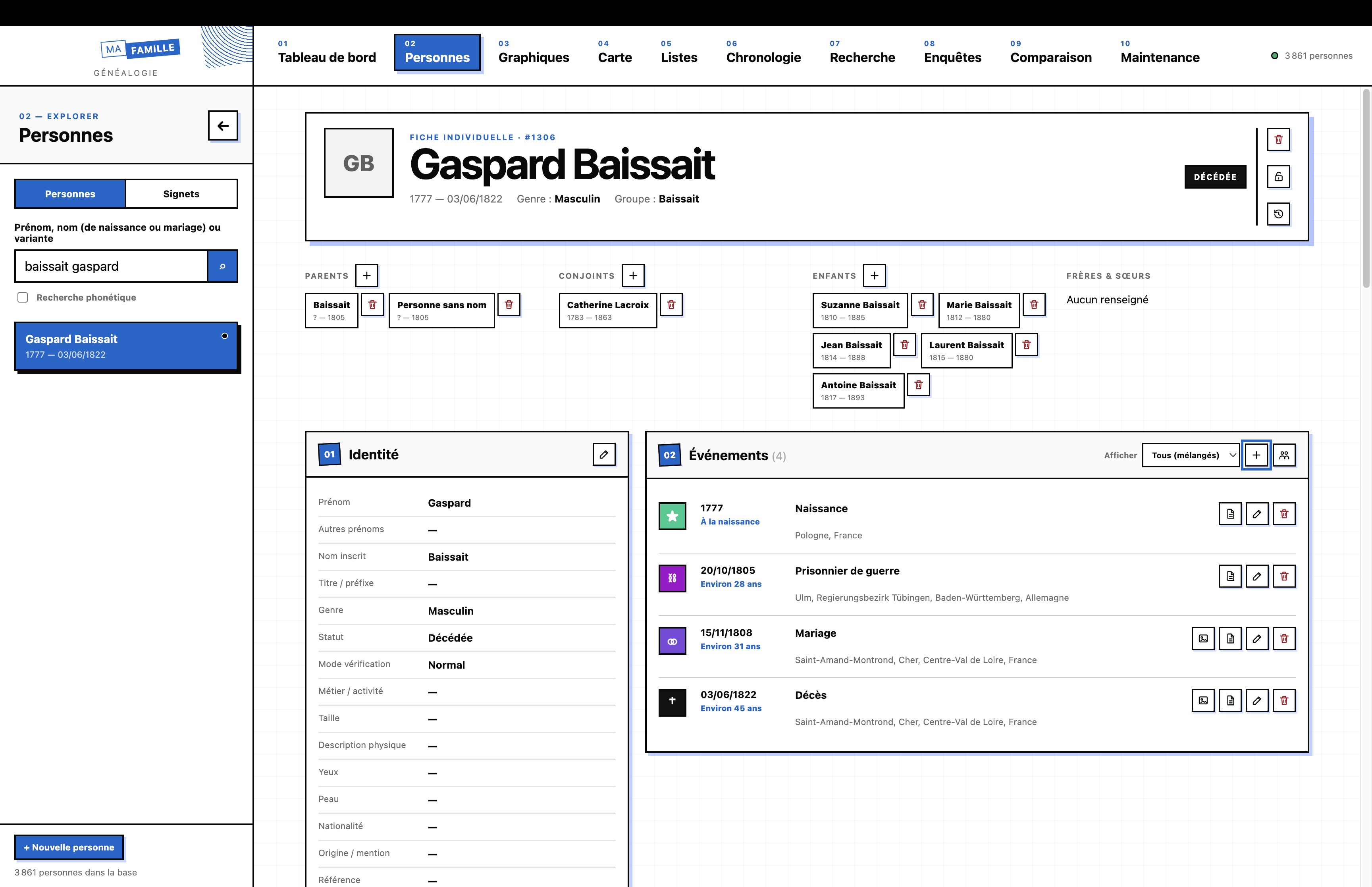
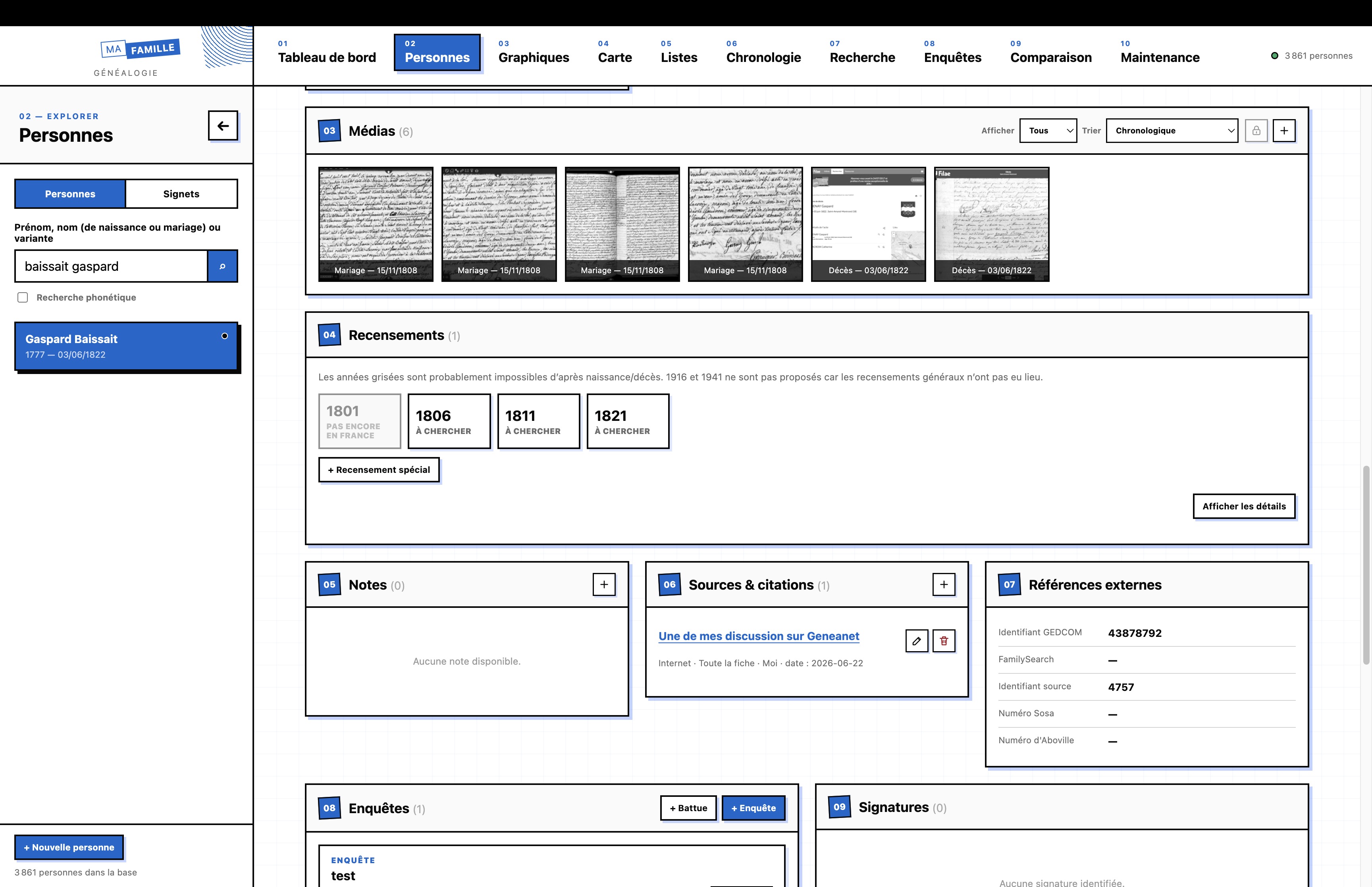
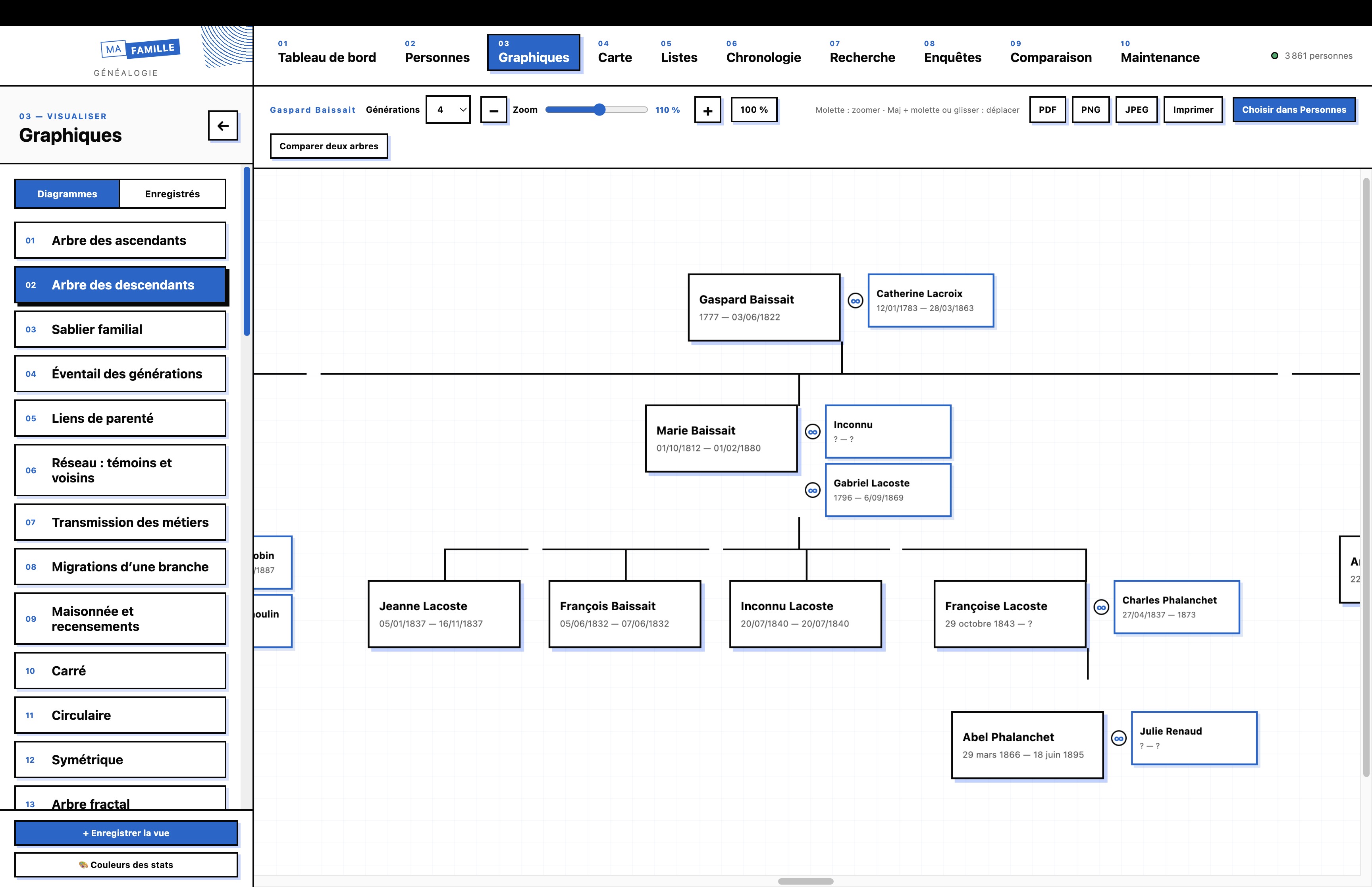
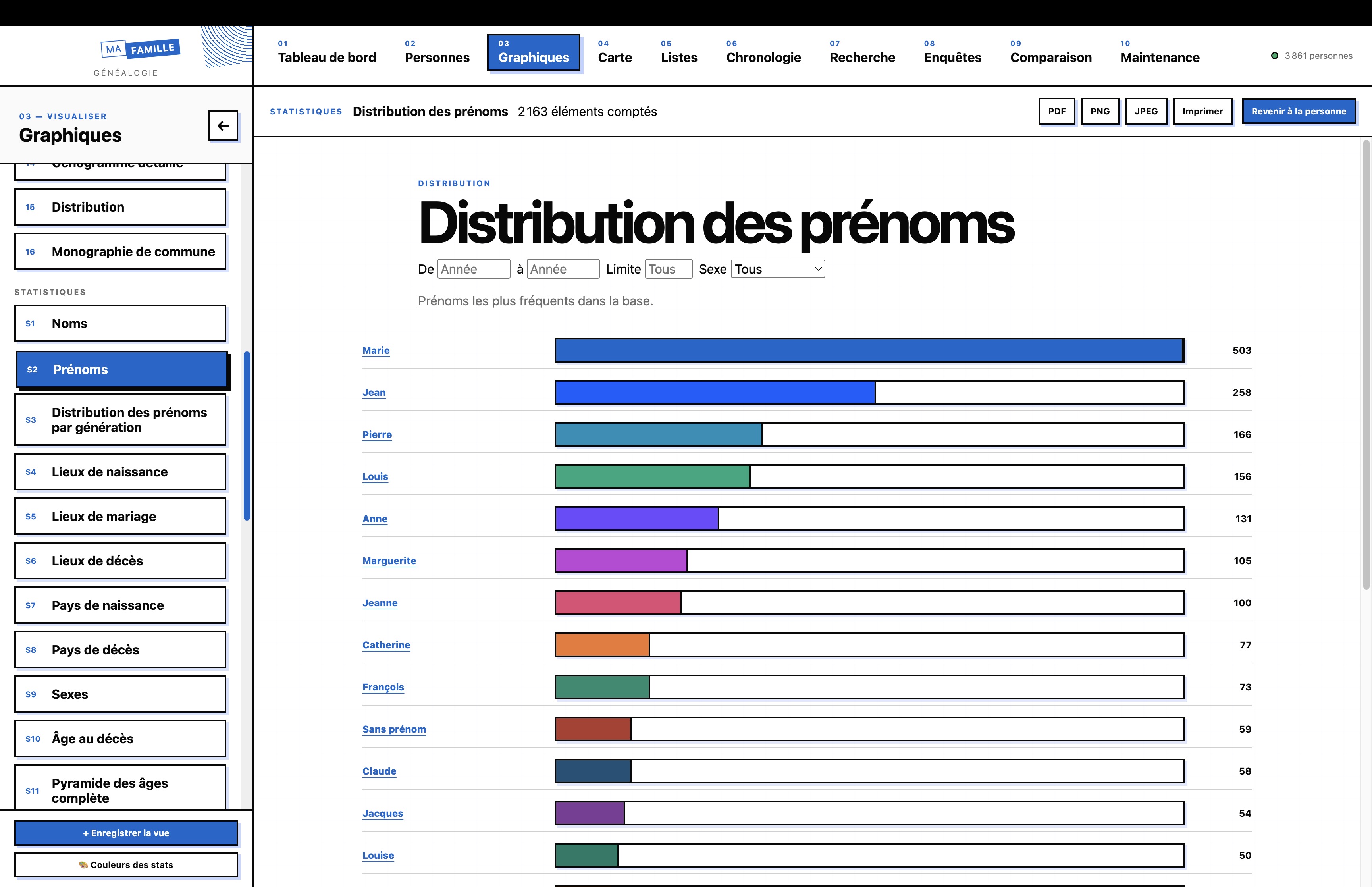
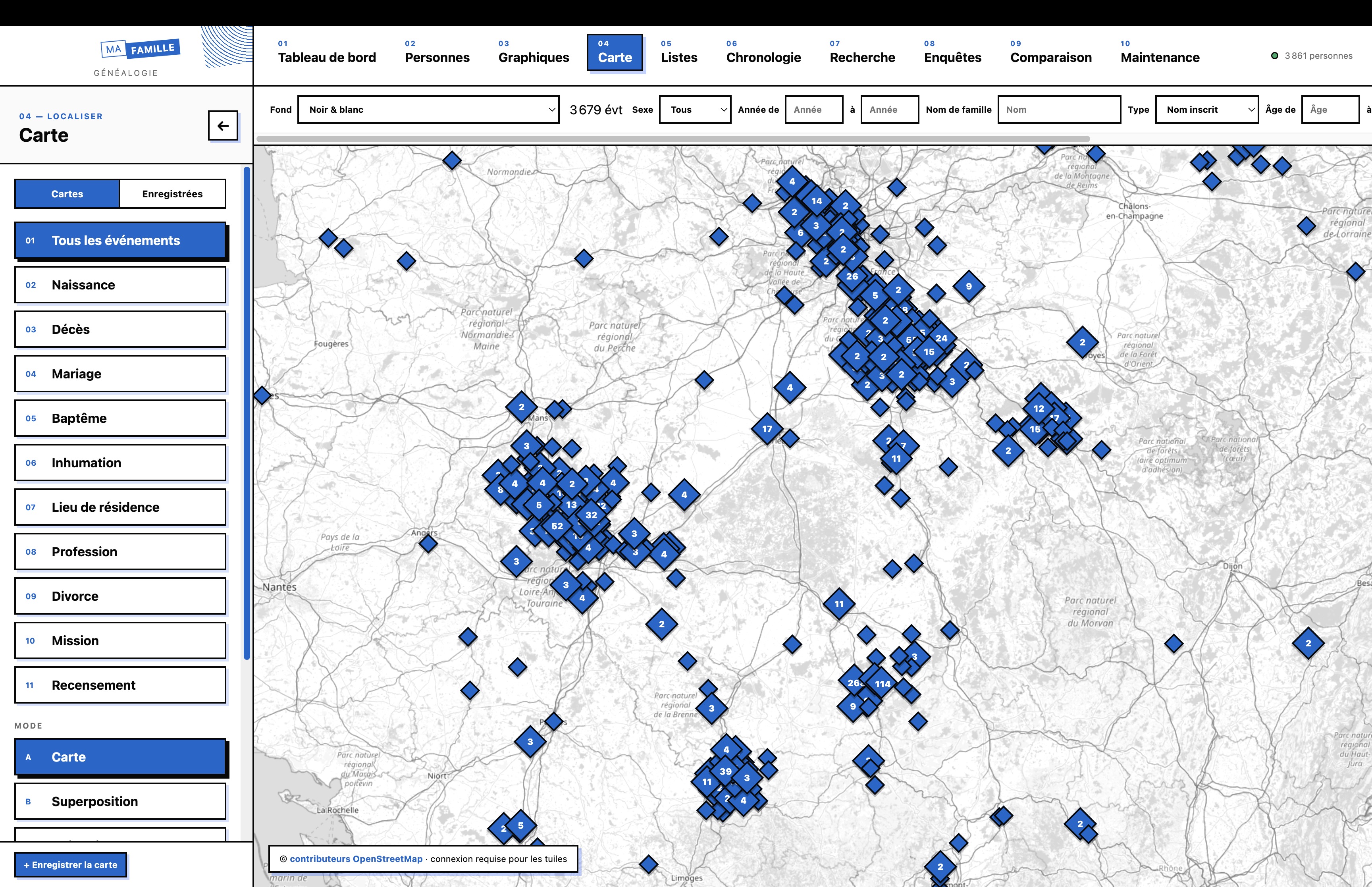
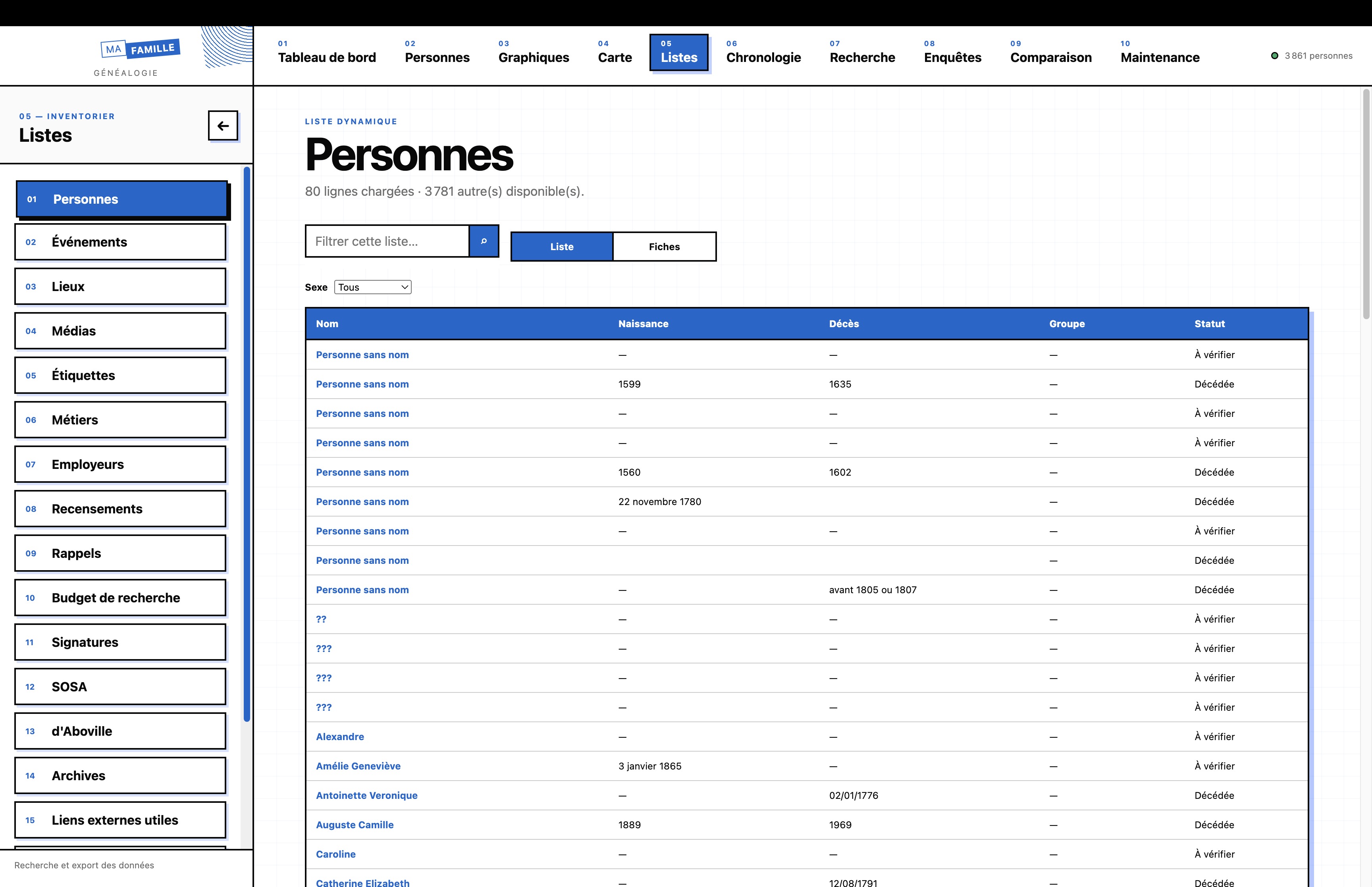
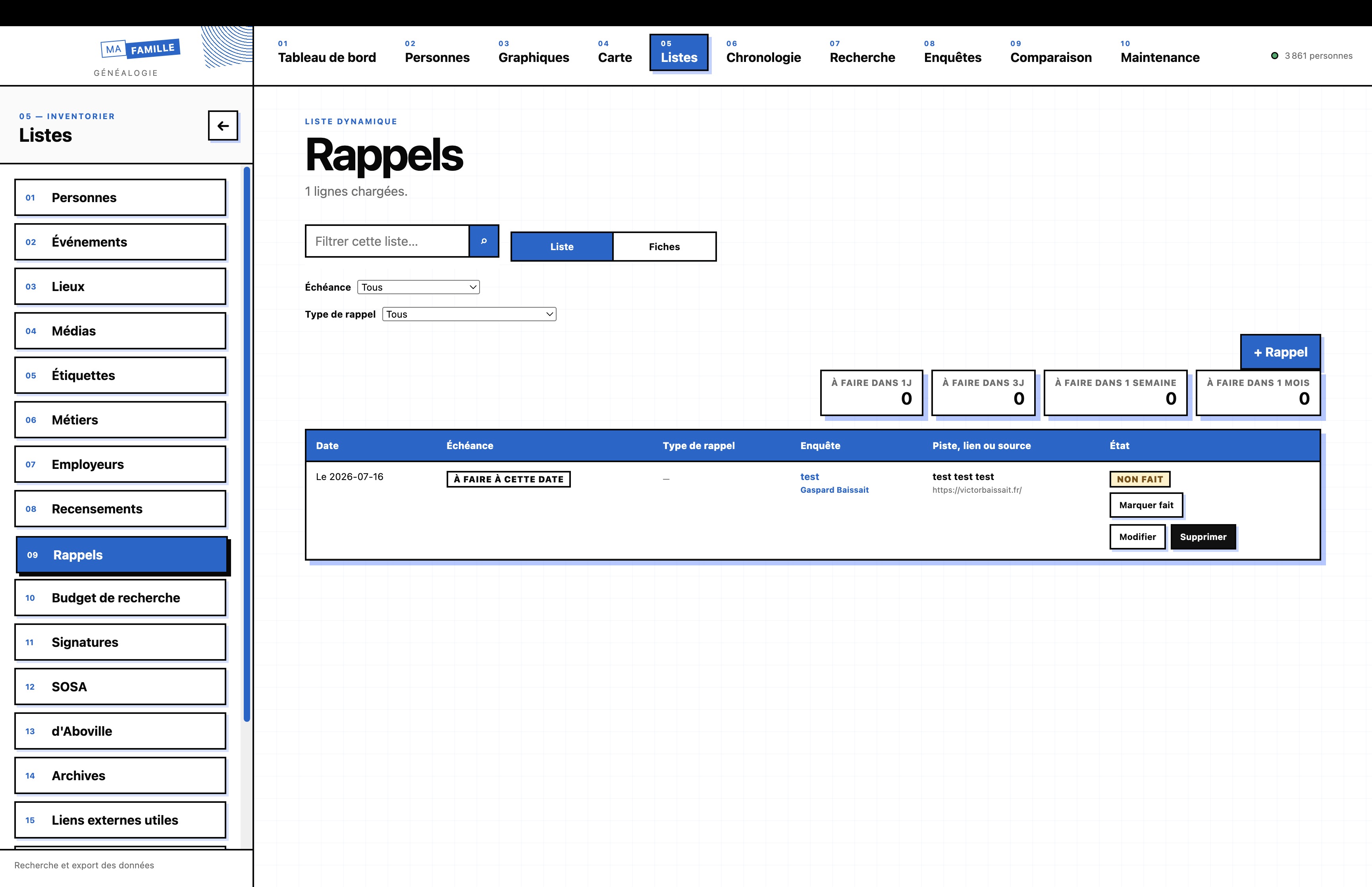
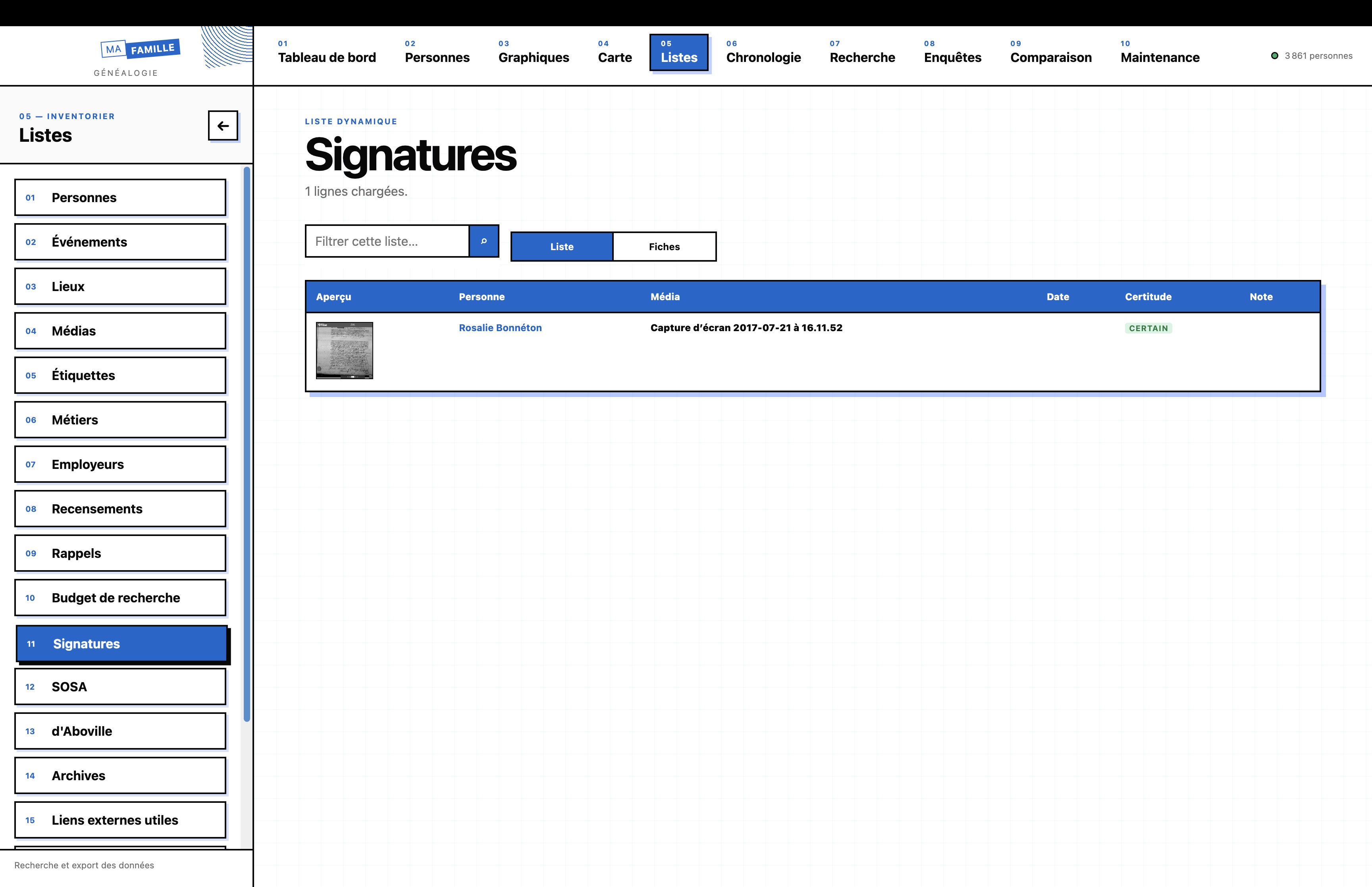
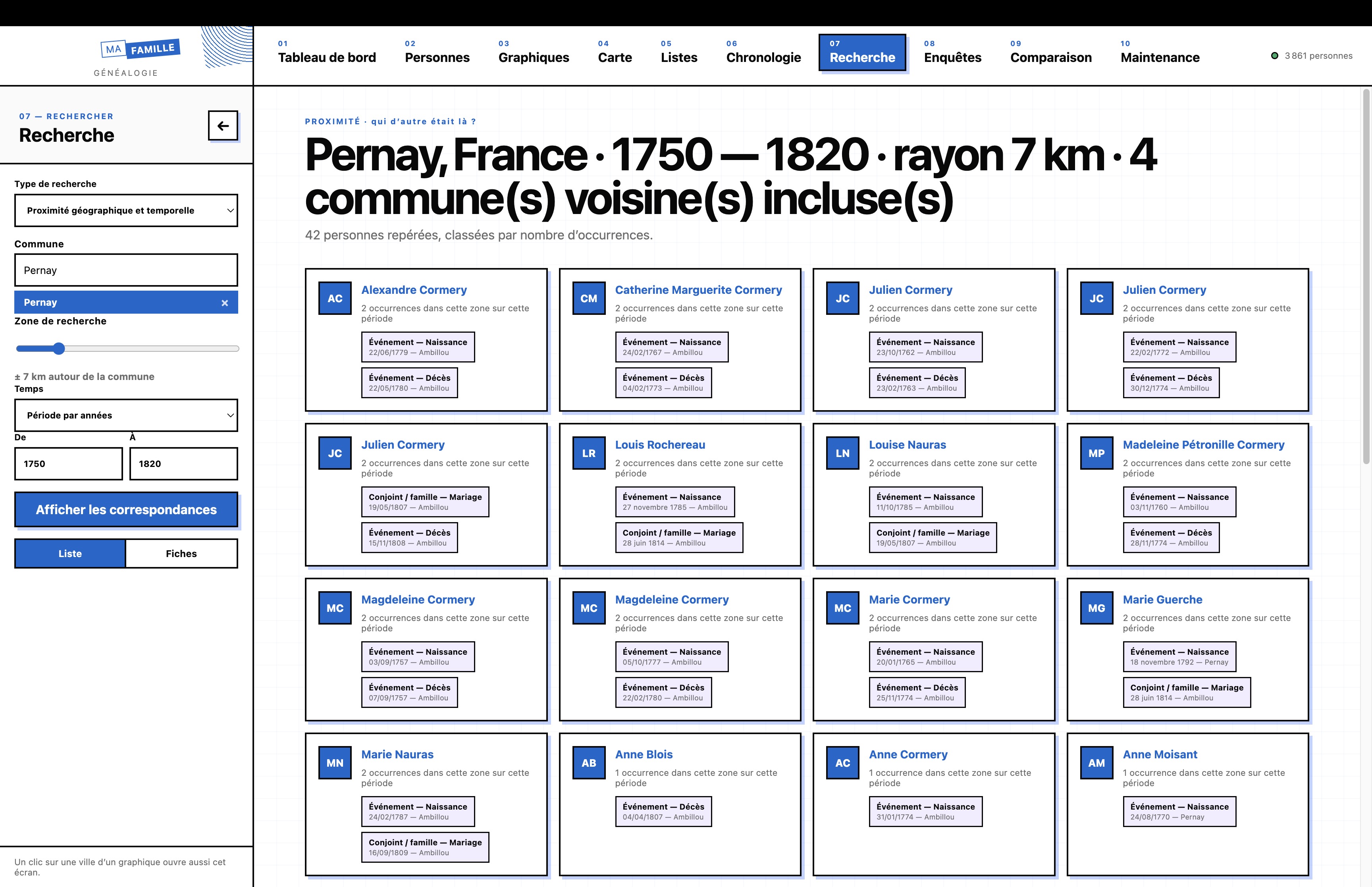
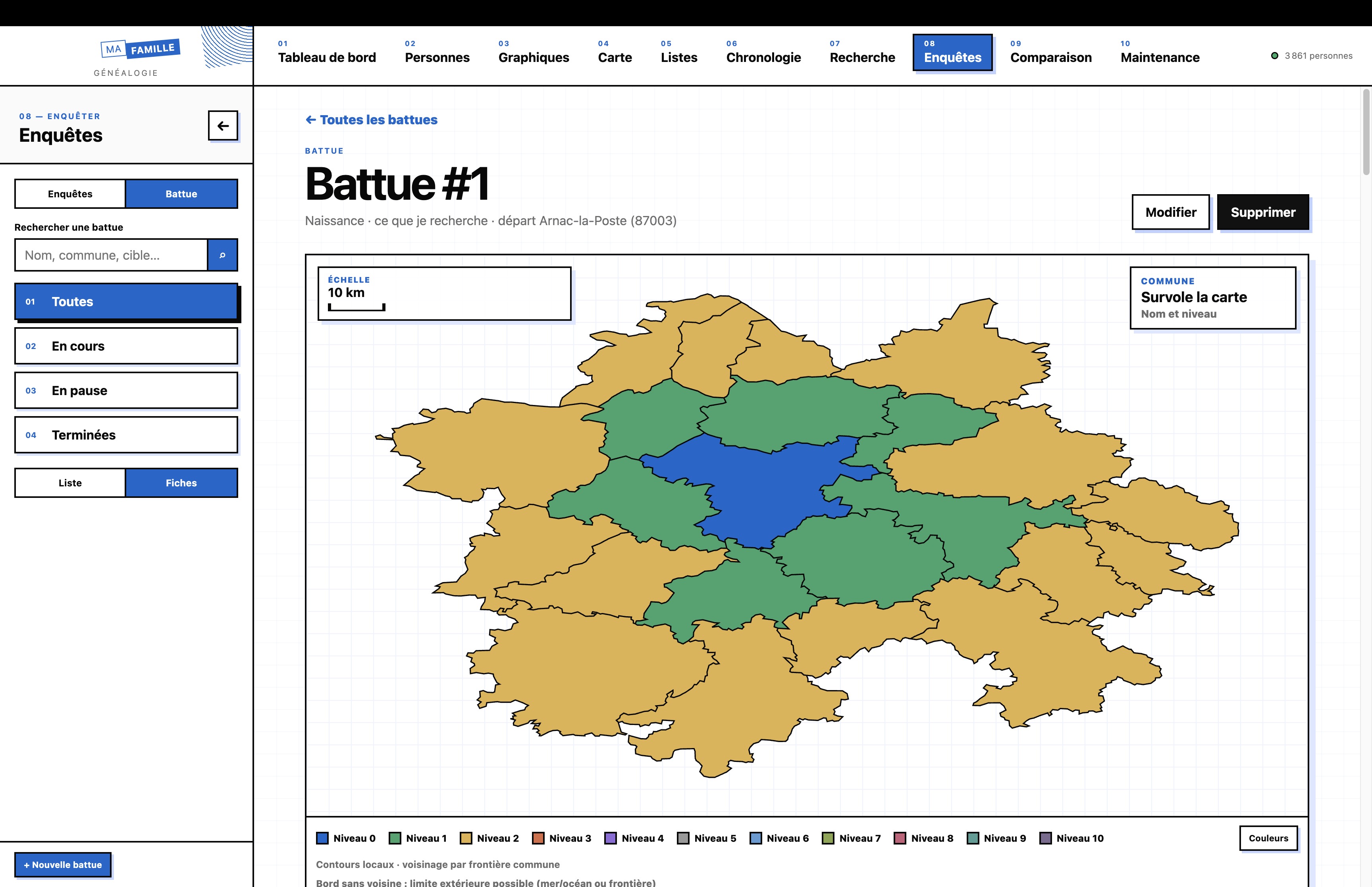
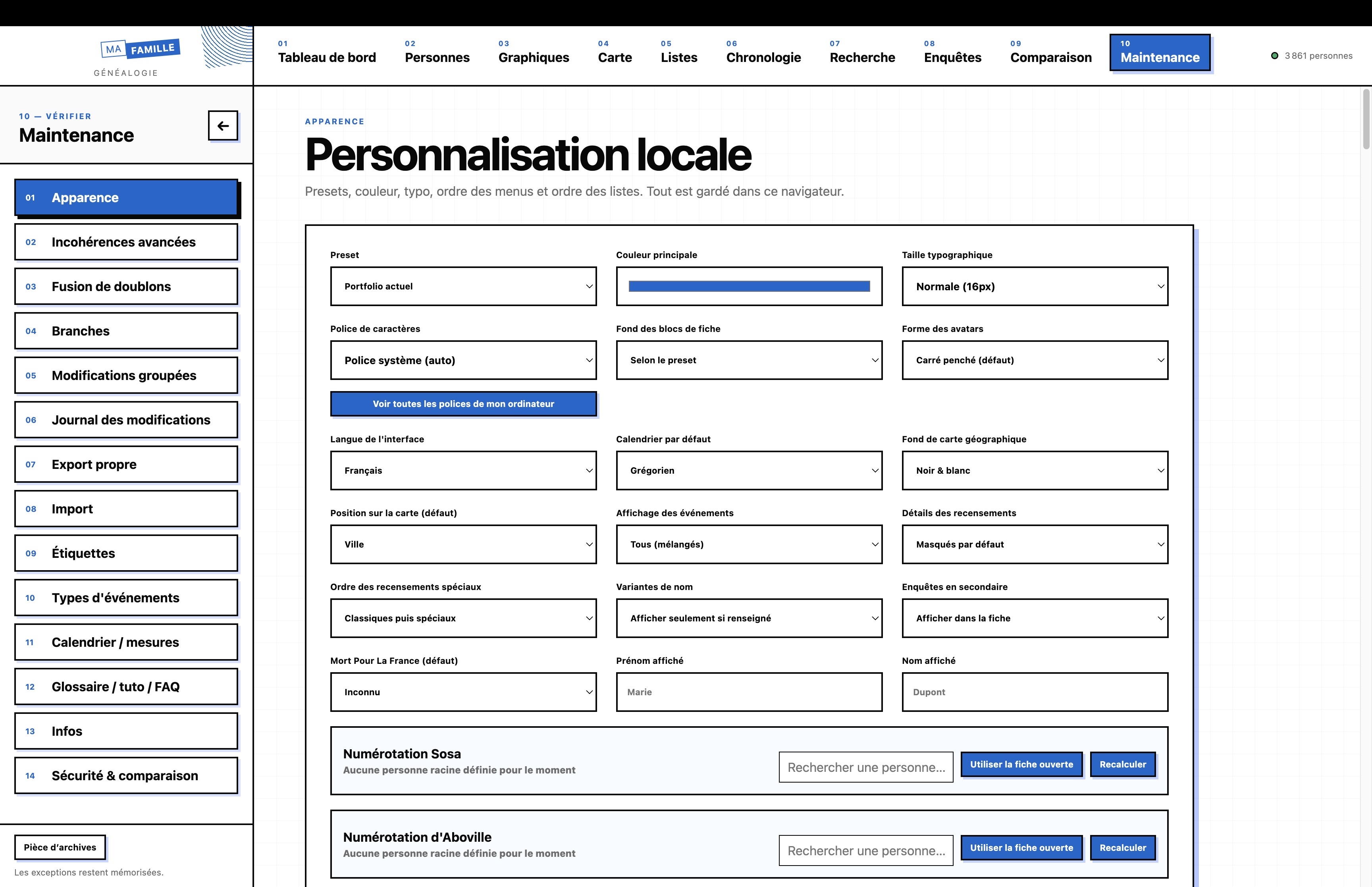
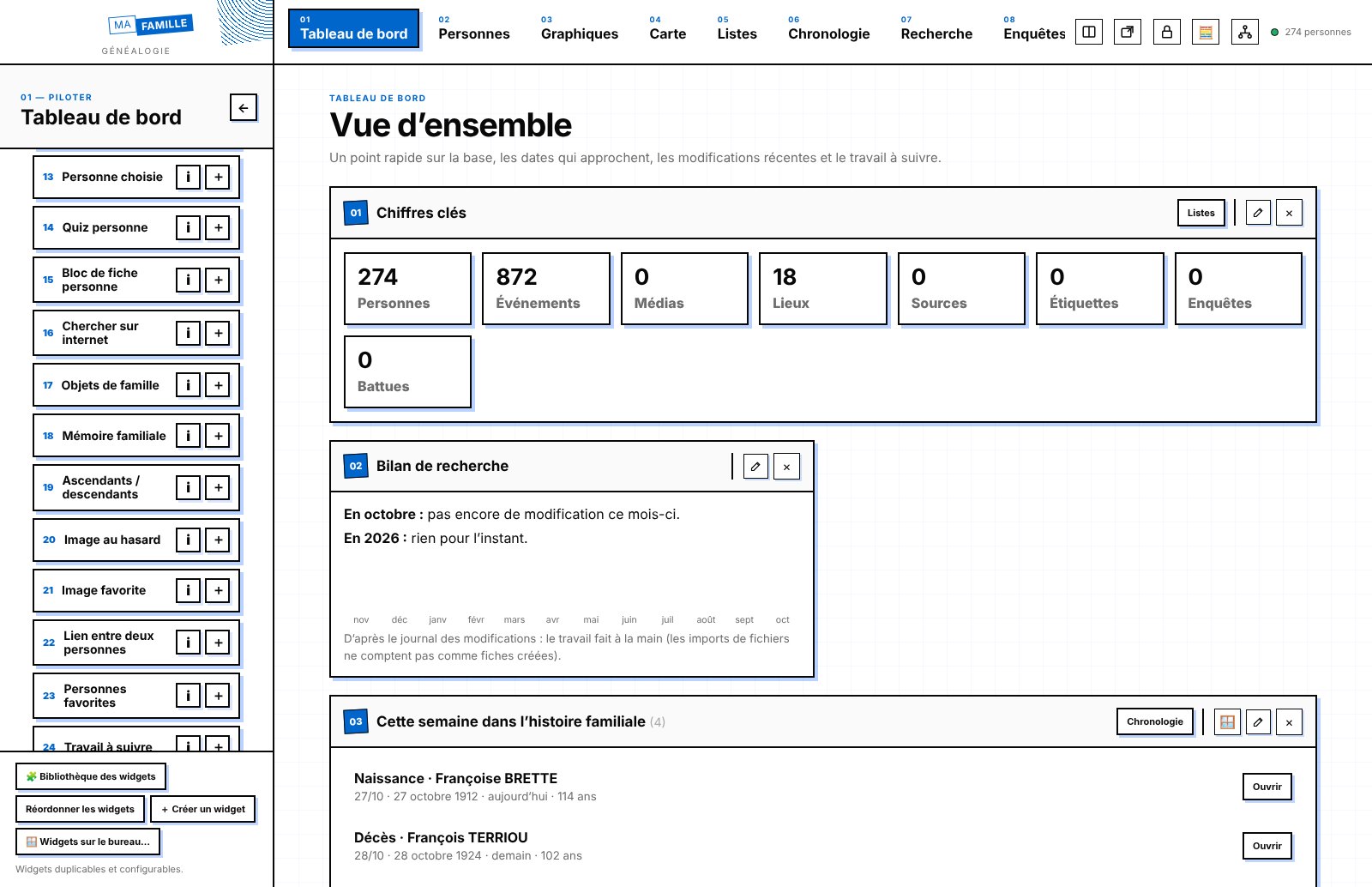
Every family history is unique, and so is your software.
LCNDA is flexible, customisable genealogy software, because every family history is unique. Menus, records, dashboard, tabs, widgets, charts, event types, colours: you organise it around your family and the way you research, not the other way round, and you save your settings under a name to find them again or pass them on to a relative. Available for Mac, Windows and Linux, it brings together in one place your ancestors, their records, their photos, your sources and your ongoing research. It works without internet and without an account: your family history stays on your computer, in a file that belongs to you. Free and open source, it imports your Hérédis, MacFamilyTree or GEDCOM data directly. And it isn't only for ancestors: inventories of collections, artworks or objects, and tracking animals in the field or at home.
Software that adapts to your family
A family of artists, sailors or farmers, a line followed over three centuries or an investigation into a single ancestor are not told in the same way. You choose the order of the menus, the blocks shown on each record and their width, the dashboard sections, and the lists, maps and charts that are useful to you. You create your own types of events and works, profiles, blocks, widgets, charts and tabs, and you set colours, fonts and display, right down to the style of the records, the left column and the page background. Your setting sets are saved under a name, and can be exported and imported from one computer to another.
A research notebook, not just a tree
Most genealogy software is for recording a family. LCNDA also helps you research it:
- investigations with their leads, hypotheses and evidence;
- search sweeps to comb through neighbouring municipalities, ring by ring, on a map;
- planning your archive visits;
- reminders, a research budget and tracking of your correspondence.
Everything you need to build a family
- Complete records: identity, name variants, parents, spouses, children, adoptions, witnesses, godfathers and godmothers.
- More than 60 event types, and your own if you need them.
- Ancestor and descendant trees, fan charts, Sosa and d’Aboville numbering.
- Censuses, signatures copied from records, a confidence level for every fact.
Your documents at the heart of your records
Photos, records, PDFs, sounds and videos are linked to people, events, investigations or search sweeps. Sources and citations accompany every piece of information, so you always know where it comes from.
Places all over the world, even offline
Every municipality in France and in more than 220 other countries and territories, with their boundaries, their neighbours (even across a border) and former merged municipalities, plus more than 5 million localities worldwide. As you type a place name, you get suggestions and GPS coordinates, with no connection. A place that can't be found can always be entered freely.
See your family differently
Maps of births, marriages and migrations, chronologies, statistics on first names, occupations, ages at death… to spot at a glance what lists don't show.
Tell the story and pass it on
Once the story is found, it still has to be shared. A layout workshop turns your records into your family book: master pages, styles, photos with text wrapped around them, cover, PDF export ready for the printer. A small video editor puts together home movies, animated photos, titles and music; free-form boards lay the investigation out flat; cards tell the story of a country, an occupation, a custom. And the family's animals have their place too.
A whole life, not just dates
An ancestor who was a painter, musician, inventor, athlete or mayor? Tick what they were, and their record fills out with what mattered to them: works and a catalogue raisonné, records and concerts, patents, terms of office, awards, diplomas, press articles. Their house can be redrawn room by room, as a plan and in 3D, with its furniture and its inhabitants through the ages.
Read records from the past and from elsewhere
A transcription workshop puts the image of the record and your text side by side, picks out names, dates and places, and makes a faded page readable. A record in Latin, Polish or Russian? The alphabets of about forty languages, with their accented letters, help you recognise the language and transliterate Cyrillic or Greek into Latin letters.
✨ Family treasures
What doesn't fit in a tree: letters to descendants sealed until a given date, “At your age…”, dating a photo, recipes, songs and memories of the senses, an ancestor's birth sky, a candle, the soundscape of a period, the gazette of the year, a cross-stitch embroidery, a passport of places… to keep, print or give.
A complete creative workshop
No need for other software: a word processor and a spreadsheet (mail merge, pivot table, solver), presentations, photo retouching with layers, vector drawing, video editing, a sound studio and your website, all linked to your records and with no internet.
Play with your ancestors
The Game of the Goose with questions about the family, a jigsaw from a photo, the maze, “Who is it?” with the ancestors, portrait Memory, The right date, Battleship with ships named after your forebears, Happy Families… and 108 solitaire games to play on your own.
For the whole family
A simple mode with big buttons for older relatives, protected by a code, and extensive accessibility: high contrast, a font for dyslexia, text up to 32 px, reading aloud, reduced animations, “one thing at a time”.
For an inventory
The same tools work well beyond ancestors: a collection, an artist's works with inventory number, dimensions and value (calculated total, illustrated inventory to print), the objects and furniture of a house room by room, an archive collection, or your own lists with the columns you need.
For tracking animals
In the field or at home: one record per animal with its rings and marks, its sightings in photos, sounds and videos, its GPS routes (GPX, Movebank, collar) on a map, its health and weight curve, its groups and its history, censuses, and sharing with other observers.
A clean, checked database
An assistant spots inconsistencies: a child born after a parent's death, a marriage after a death, improbable longevity. It also flags possible duplicates and incomplete families. A log keeps track of every change, and a deletion can be undone.
Arrive with your data, leave whenever you like
- Direct import of Hérédis and MacFamilyTree files, without going through an export: photos, sources and tasks included.
- GEDCOM import and export (5.5.1 and 7), the exchange format shared by all genealogy software.
- Full backup in a single file, with the database and all the media, to keep somewhere safe or open on another computer.
Flexible and customisableThe interface is organised around your family history, not the other way round.
Free and openAGPL-3.0 licence: no subscription, no paid version, open source code.
Your data stays with youNo account, nothing sent over the internet, a SQLite file other tools can read.
Works offlineMunicipalities of 226 countries, places worldwide and a base map included.
Mac, Windows and LinuxThe same app everywhere.
Designed for researchNot just for data entry; and for the whole family, from grandparents to children.
From tree to book, film and websiteLayout, video editing, sound and a website to pass on what you have found.
Easy to move inFrom Hérédis, MacFamilyTree or any GEDCOM-compatible software.
LCNDA is in beta: make regular backups, which the app makes easy. It is not yet signed by Apple or Microsoft, which is why you get a warning on first launch.
Frequently asked questions.
How to do this or that in LCNDA.
Frequently asked questions
How to do this or that in LCNDA.
No question matches this search.